# QUI Presentation Clicker with Volume Control, USB Wireless Presenter Remote, Black | Plug & Play for Mac & Windows

**Brand:** QUI
**SKU:** bs2915
**ASIN:** B0DLFRZD8X
**Canonical URL:** https://crowcrowcrow.com/p/qui-presentation-clicker-volume-control-2-4ghz-usb-wireless-presenter-remote-powerpoint-bs2915/bs2915
**Category:** electronics
**Subcategory:** Office Electronics
**Availability:** in_stock
**Price (INR, all-inclusive):** ₹2,280
**Discount:** 23%
**Customer rating:** 4.00/5 from 9 ratings

## Description

QUI Presentation Clicker (Black) offers plug-and-play wireless control for presentations. Features a bright red laser, 328ft range, volume control, and broad compatibility with Mac/Windows. Ideal for students and professionals in India. Arrives {{ccc_delivery_eta}}.

## Highlights

- Plug & Play Simplicity — Connect the USB receiver to your Mac or Windows laptop and start presenting instantly. No drivers or software needed, ensuring a hassle-free setup for any presentation.
- Bright Red Laser Pointer — Clearly highlight key points on your slides with a bright red laser, easily visible in large conference rooms or lecture halls, ensuring your audience follows your main message.
- Extended Wireless Freedom — Roam freely up to 328 ft away from your device, enabling more dynamic audience interaction and a less stationary presentation style. Ideal for larger spaces.
- Broad Software & OS Support — Works seamlessly with PowerPoint, Keynote, Google Slides, and more on both Mac OS and Windows systems, offering versatile compatibility for diverse presentation needs.

## Key features

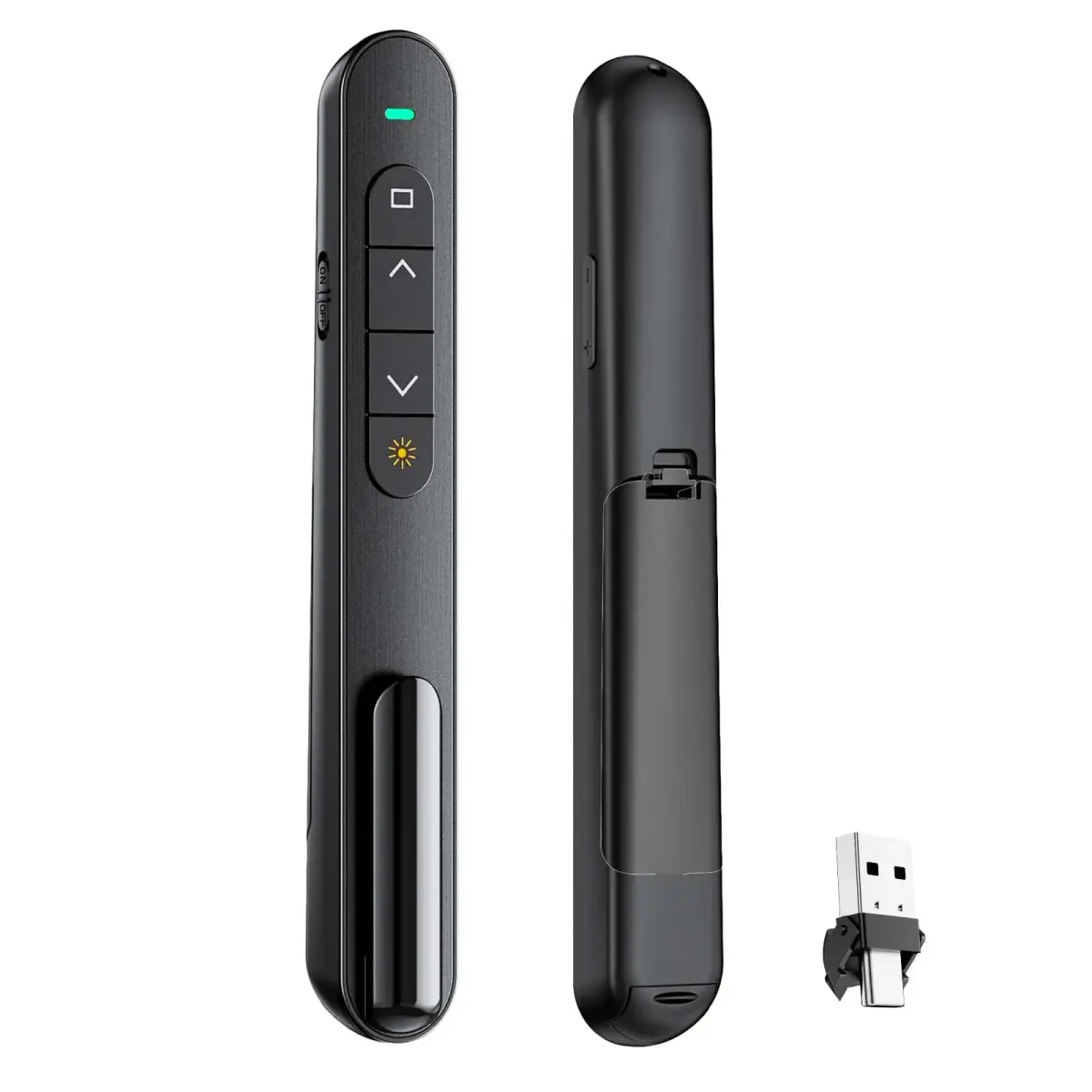
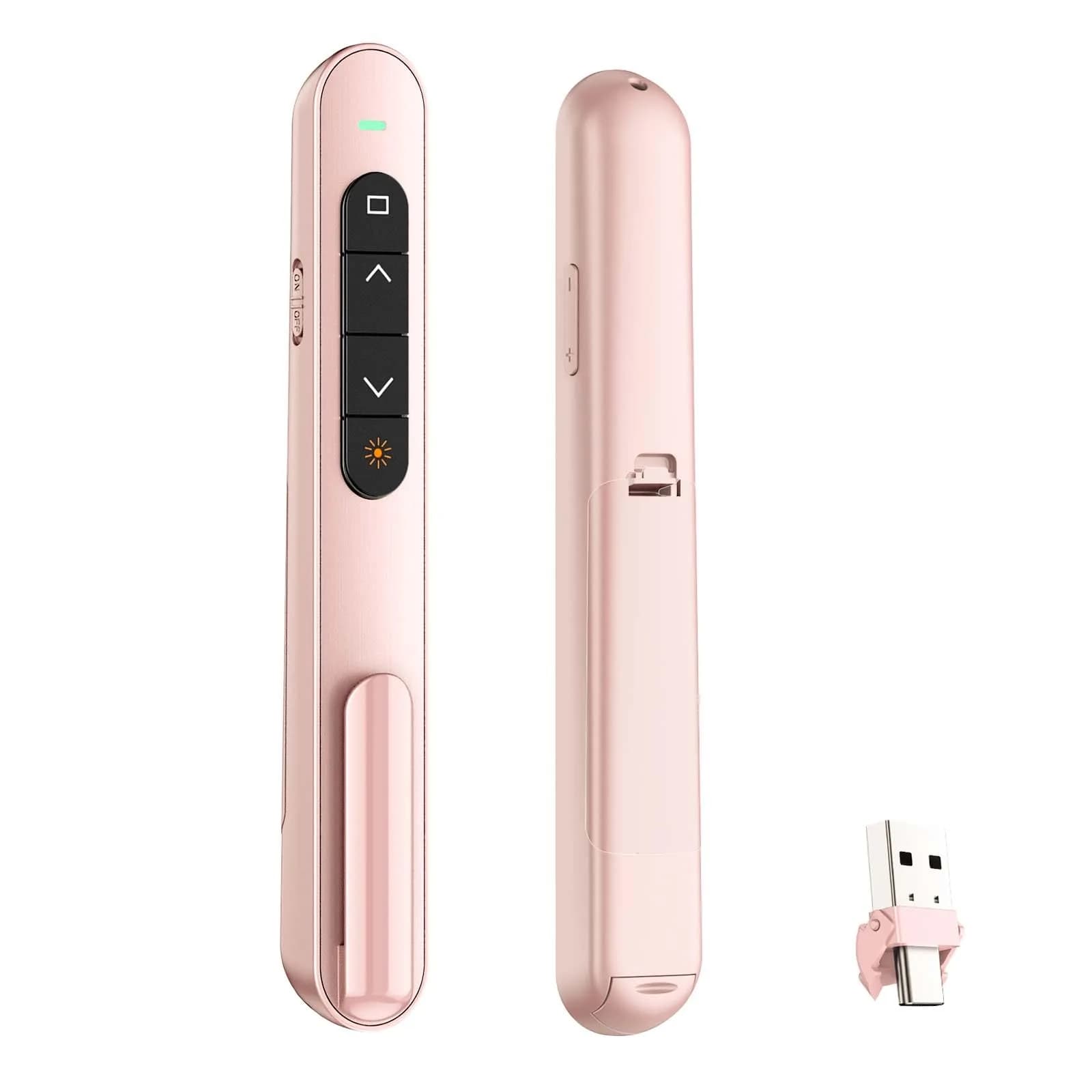
- 【PLUG & PLAY】This presentation clicker supports page up/down, hyperlink navigation, volume control, power on/off, and full screen/black screen switching. No software or driver is required, just plug the USB receiver into your computer's USB port and you're ready to start the show (Requires one AAA battery, not included)
- 【BRIGHT RED POINTER LIGHT】This powerpoint clicker emits a bright red light that helps you clearly mark key parts of each slide so your audience can easily follow your main points. It remains clearly visible even in large conference rooms or lecture halls
- 【328FT LONG WIRELESS RANGE】This clicker for PowerPoint presentations delivers a control distance of up to 328 ft, allowing you to roam the entire hall and interact directly with your audience. Step away from the limits of a stationary podium to deliver a more dynamic presentation
- 【BROAD COMPATIBILITY】This wireless presenter remote works smoothly across different systems and software, compatible with Mac OS and Windows laptops. It supports software such as PowerPoint, Keynote, Google Slides, Excel, ACDSee, and Prezi
- 【PORTABLE SLIDE CLICKER】This presentation pointer includes a convenient clip that attaches to a notebook or pocket for easy carrying. It is a helpful tool for meetings, classrooms, training sessions, and presentations, and it is also suitable for sharing with colleagues and friends

## Why choose this product

- This QUI clicker offers reliable plug-and-play functionality, a bright red laser for clear highlighting, and an extensive wireless range. It's designed for smooth navigation through slides and essential presentation functions like volume control and screen switching. The broad compatibility ensures it works with your preferred software and operating system, making it a dependable tool for educators and professionals. — Seamless Presentation Control
- Ideal for students, teachers, and office professionals who need a simple, reliable clicker for presentations on Mac or Windows. If you require robust build quality or a USB-C connector that withstands frequent plugging/unplugging, consider alternatives as some users reported fragility. This clicker is best suited for standard USB-A ports and moderate use. — Who Should Buy & Who Should Skip

## How to use

1. Open the battery compartment and insert one AAA battery (not included), ensuring correct polarity. Close the compartment securely. — Insert Battery
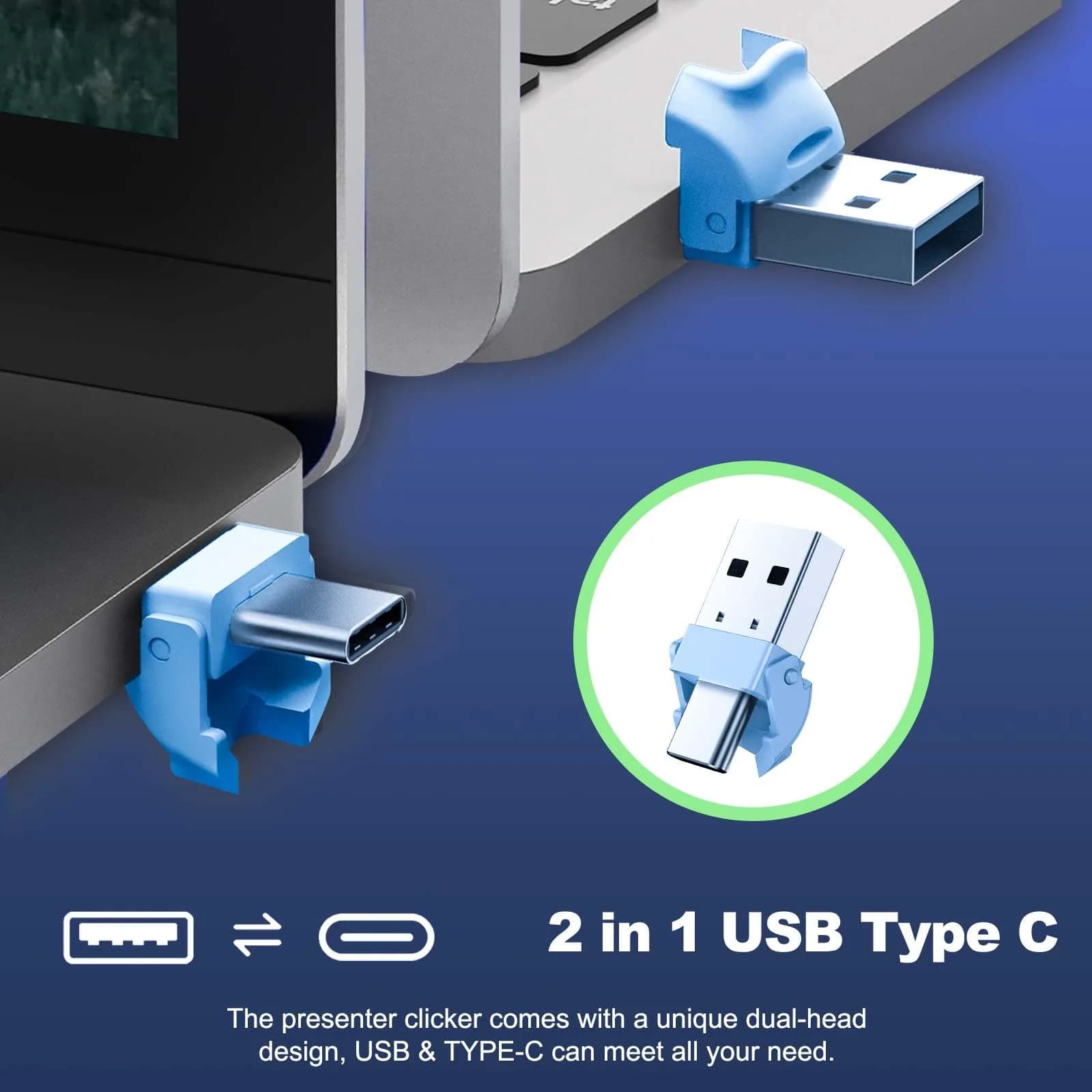
2. Plug the USB receiver into an available USB-A port on your computer. If using USB-C, connect the included adapter to the receiver first, then plug into your device. — Connect Receiver
3. Use the 'Up' button to advance slides and the 'Down' button to go back. Press the 'Full Screen' button to enter presentation mode and 'Black Screen' to exit. Use the laser pointer to highlight key information. — Navigate Presentation
4. Press the designated volume buttons to adjust the audio levels of your presentation directly from the clicker, providing seamless control over sound. — Utilize Volume Control

## Product details

| Field | Value |
|---|---|
| Power Source | 1 x AAA battery (not included) |
| Wireless Range | Up to 328 ft (100 m) |
| Connectivity | 2.4GHz USB Receiver (USB-A), USB-C adapter included |
| Compatibility | Windows, Mac OS; PowerPoint, Keynote, Google Slides, Excel, ACDSee, Prezi |
| Functions | Page Up/Down, Hyperlink, Volume Control, Full Screen/Black Screen, Red Laser Pointer |
| Cost per use | {{ccc_price_per_unit:365:day}} — 1 year lifespan, 1 battery/month, 1 daily use |
| Shelf life after opening | N/A (electronic device) |
| Reapplication math | N/A (electronic device) |
| Contraindications | Requires USB-A port or adapter; USB-C connector may be fragile. |
| Allergens / common irritants | N/A |
| Brand | QUI |
| Model | BK600 |
| Color | Black |
| Size | L |
| Part Number | BK600-black-c |
| Number of Items | 1 |
| Country of Origin | Not stated by manufacturer — US retail version, sourced from authorized US retailers |

## Attributes

- **Unit count:** 1

## Frequently asked questions

### How is this QUI Presentation Clicker authentic vs the version sold in Indian stores?

This clicker is sourced directly from authorized US retailers, factory-sealed, and imported per-order. It's the same model and specification US buyers receive. All customs duties and GST are included in the displayed price, with delivery typically within {{ccc_delivery_eta}} via ExpressBox tracked shipping.

### Will the version I receive match what is shown on the US retailer's page?

Yes, orders are placed against the listed US retailer page at the time of purchase. Batch codes and packaging match what the US retailer dispatches. Photographs of every order are taken before international handover for verification.

### Is this presentation clicker safe to use?

Yes, the QUI Presentation Clicker is safe for general presentation use. It operates on standard USB connectivity and requires a single AAA battery. Always ensure the laser pointer is not directed into anyone's eyes.

### Are presentation clickers healthy?

Presentation clickers are electronic devices and do not have direct health implications. However, prolonged use of the laser pointer should be avoided to prevent eye strain or potential harm if misused.

### How to choose a presentation clicker for Indian students?

For Indian students, choose a clicker that is plug-and-play, compatible with common presentation software like PowerPoint and Google Slides, and has a reliable wireless range. Look for models with a clear laser pointer and durable build, ensuring it works with USB-A ports.

### How to use the QUI presentation clicker?

Plug the USB receiver into your computer's USB-A port. Insert one AAA battery (not included). Use the buttons to navigate slides forward/backward, control volume, and switch to full screen or black screen. The red laser pointer can be activated to highlight points.

### What is the best presentation clicker?

The best presentation clicker offers reliable plug-and-play functionality, broad compatibility with Mac and Windows, a clear laser pointer, and a good wireless range. This QUI model provides these features, though some users note the USB-C adapter can be fragile.

### Can I use this presentation clicker daily?

Yes, you can use this presentation clicker daily for presentations. It's designed for regular use in meetings, classrooms, and training sessions. Ensure you have spare AAA batteries on hand for continuous operation.

### What are the side effects of presentation clickers?

There are no direct health side effects from using a presentation clicker. However, the laser pointer should be used responsibly to avoid eye discomfort or potential harm. Ensure the device is handled with care, as some users reported fragility in the USB-C adapter.

### What are the benefits of a presentation clicker?

Presentation clickers offer freedom of movement, allowing you to engage your audience better. They provide seamless slide navigation, volume control, and screen management, enhancing presentation flow and professionalism. The red laser pointer helps emphasize key information effectively.

## Compliance

No product-specific compliance warnings identified. Standard imported-goods terms apply: customs duties & GST paid; for personal use in India; follow the manufacturer's usage instructions on the packaging.

## Images

1. https://images.crowcrowcrow.com/B0DLFRZD8X-0.webp
2. https://images.crowcrowcrow.com/B0DLFRZD8X-1.webp
3. https://images.crowcrowcrow.com/B0DLFRZD8X-2.webp
4. https://images.crowcrowcrow.com/B0DLFRZD8X-3.webp
5. https://images.crowcrowcrow.com/B0DLFRZD8X-4.webp
6. https://images.crowcrowcrow.com/B0DLFRZD8X-5.webp

---

Source: https://crowcrowcrow.com/p/qui-presentation-clicker-volume-control-2-4ghz-usb-wireless-presenter-remote-powerpoint-bs2915/bs2915

Returns: 30 days, free, by mail. Shipping: Free across India, 7–13 business days. Prices are all-inclusive (duties + GST).