# QUI Presentation Clicker for PowerPoint, USB-C Wireless Presenter Remote with Red Laser & Volume Control, 100M Range | Plug & Play Slide Advancer for Mac, Windows

**Brand:** QUI
**SKU:** pr7977
**ASIN:** B0DLFWLJCG
**Canonical URL:** https://crowcrowcrow.com/p/qui-presentation-clicker-powerpoint-2-4ghz-usb-wireless-presenter-remote-volume-control/pr7977
**Category:** electronics
**Subcategory:** Office Electronics
**Availability:** in_stock
**Price (INR, all-inclusive):** ₹2,900
**Discount:** 35%
**Customer rating:** 4.00/5 from 9 ratings

## Description

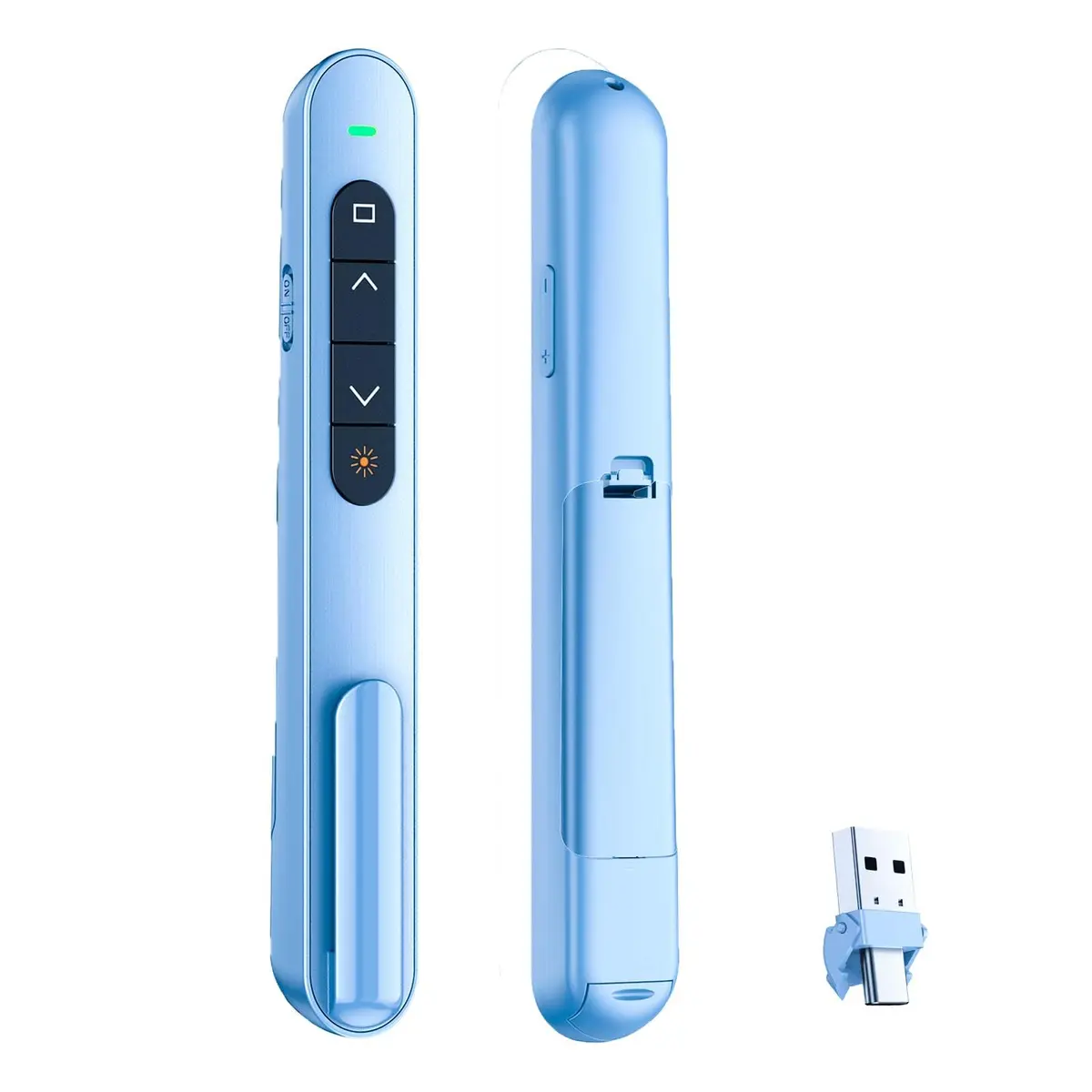
QUI Presentation Clicker for PowerPoint, USB-C Wireless Presenter Remote with Red Laser & Volume Control. Plug & Play, 100M range. Works with Mac, Windows, and Keynote. Arrives 21-24 days.

## Highlights

- Plug & Play Simplicity — Connect the USB-C receiver and start presenting instantly. No software needed for hyperlink navigation, page up/down, volume, and screen controls.
- 100M Stable Wireless Range — Move freely around the room and engage your audience with a reliable connection up to 328 feet, perfect for interactive lectures and large auditoriums.
- Bright Red Laser Pointer — Easily highlight important points in your presentation with a clear red beam, ensuring your audience doesn't miss key information, even in bright environments.
- Wide Compatibility — Works seamlessly with Mac OS and Windows, supporting various presentation software like PowerPoint, Excel, Google Slides, and Keynote for versatile use.

## Key features

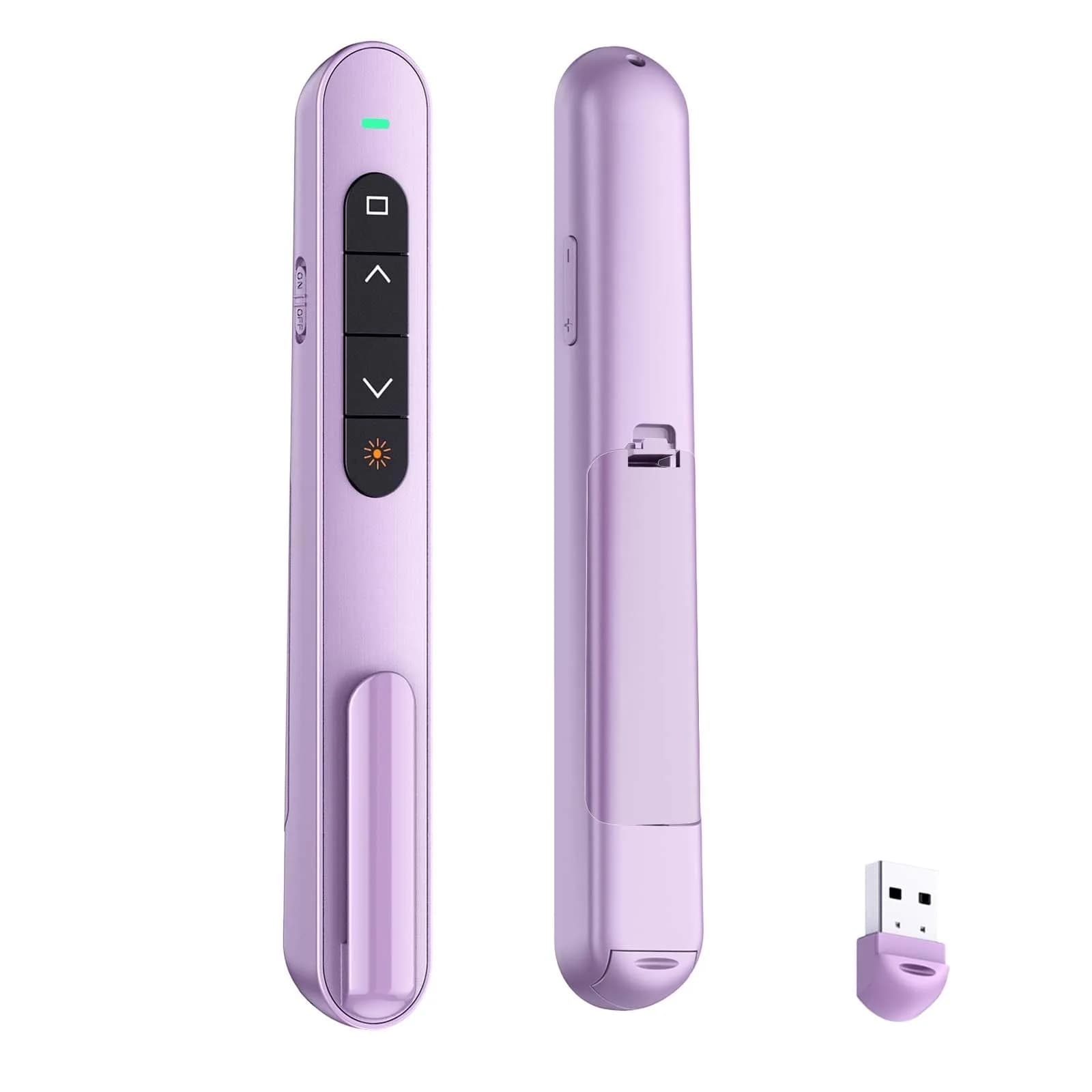
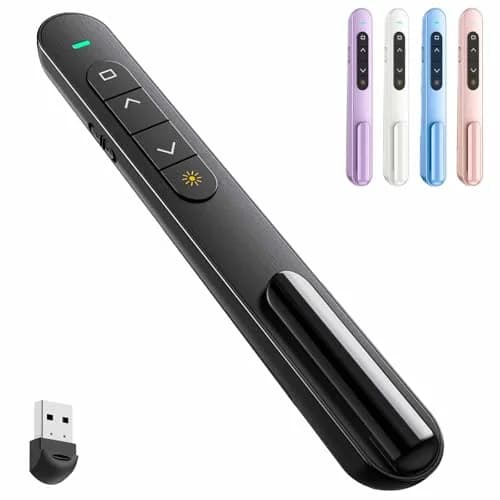
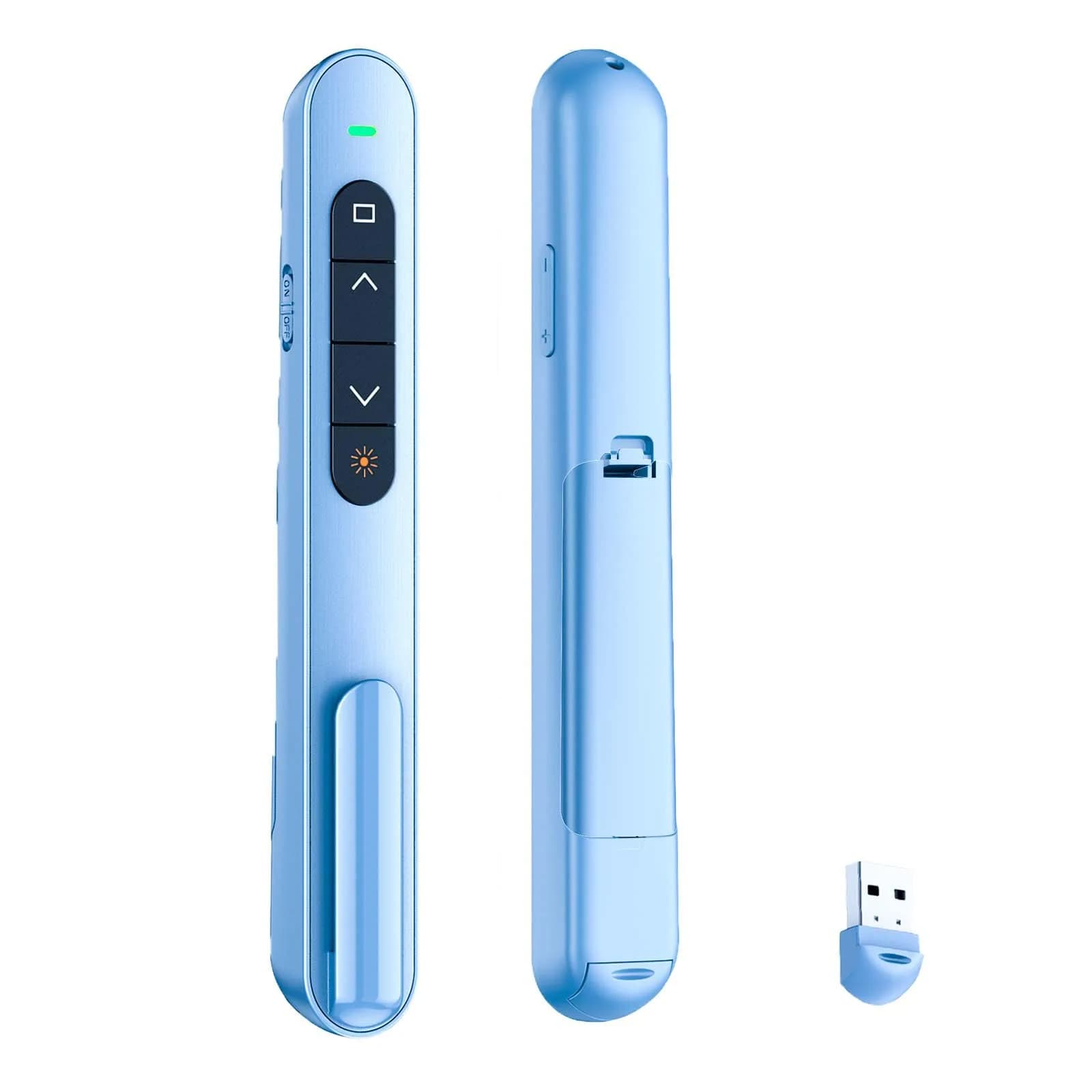
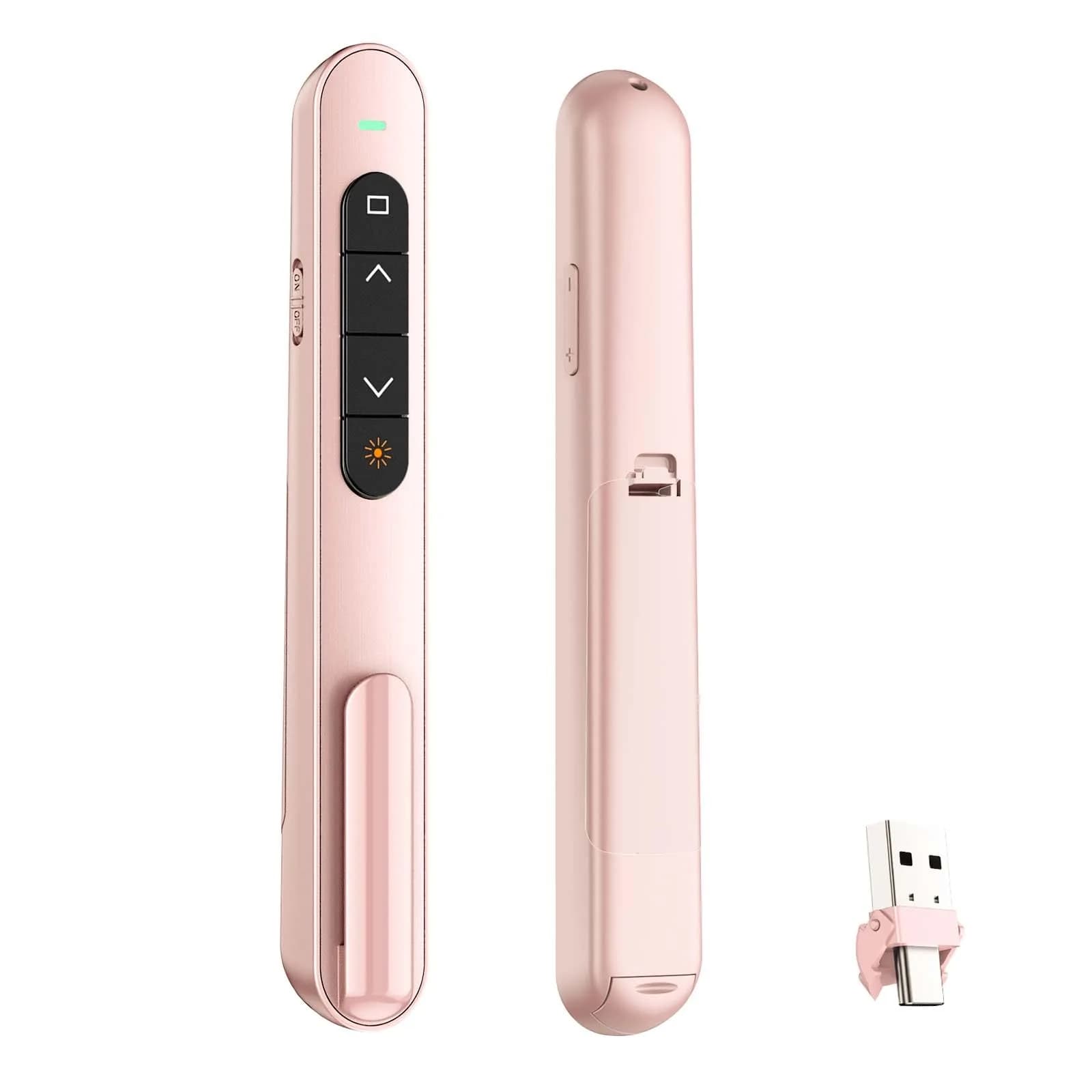
- 【PLUG & PLAY】This presentation clicker supports page up/down, hyperlink navigation, volume control, power on/off, and full screen/black screen switching. No software or driver is required, just plug the USB receiver into your computer's USB port and you're ready to start the show (Requires one AAA battery, not included)
- 【BRIGHT RED POINTER LIGHT】This powerpoint clicker emits a bright red light that helps you clearly mark key parts of each slide so your audience can easily follow your main points. It remains clearly visible even in large conference rooms or lecture halls
- 【328FT LONG WIRELESS RANGE】This clicker for PowerPoint presentations delivers a control distance of up to 328 ft, allowing you to roam the entire hall and interact directly with your audience. Step away from the limits of a stationary podium to deliver a more dynamic presentation
- 【BROAD COMPATIBILITY】This wireless presenter remote works smoothly across different systems and software, compatible with Mac OS and Windows laptops. It supports software such as PowerPoint, Keynote, Google Slides, Excel, ACDSee, and Prezi
- 【PORTABLE SLIDE CLICKER】This presentation pointer includes a convenient clip that attaches to a notebook or pocket for easy carrying. It is a helpful tool for meetings, classrooms, training sessions, and presentations, and it is also suitable for sharing with colleagues and friends

## Why choose this product

**Seamless Presentation Control** — This QUI clicker offers intuitive control for your presentations. Its plug-and-play design means no complex setup, just connect and go. The stable 100M wireless range lets you interact with your audience freely, while the bright red laser pointer ensures key points are always highlighted. It's designed for reliability, making your lectures and meetings more engaging and professional.

**Ideal for Students & Professionals** — This clicker is perfect for students giving project presentations, teachers leading classes, and professionals in meetings. Its lightweight design with a clip makes it easy to carry. While it offers excellent functionality, users without a USB-C port may need an adapter. If you require a simple, reliable presenter for everyday use, this is a great choice. Those needing advanced features or specific software integration might explore other options.

## How to use

1. Open the battery compartment at the bottom of the clicker and insert one AAA battery, ensuring correct polarity. The device is now ready for pairing. — Insert Battery
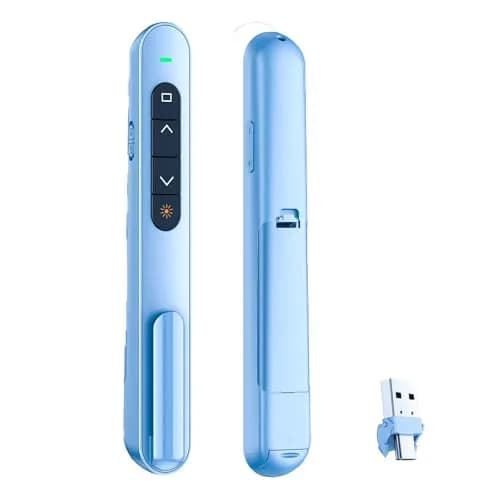
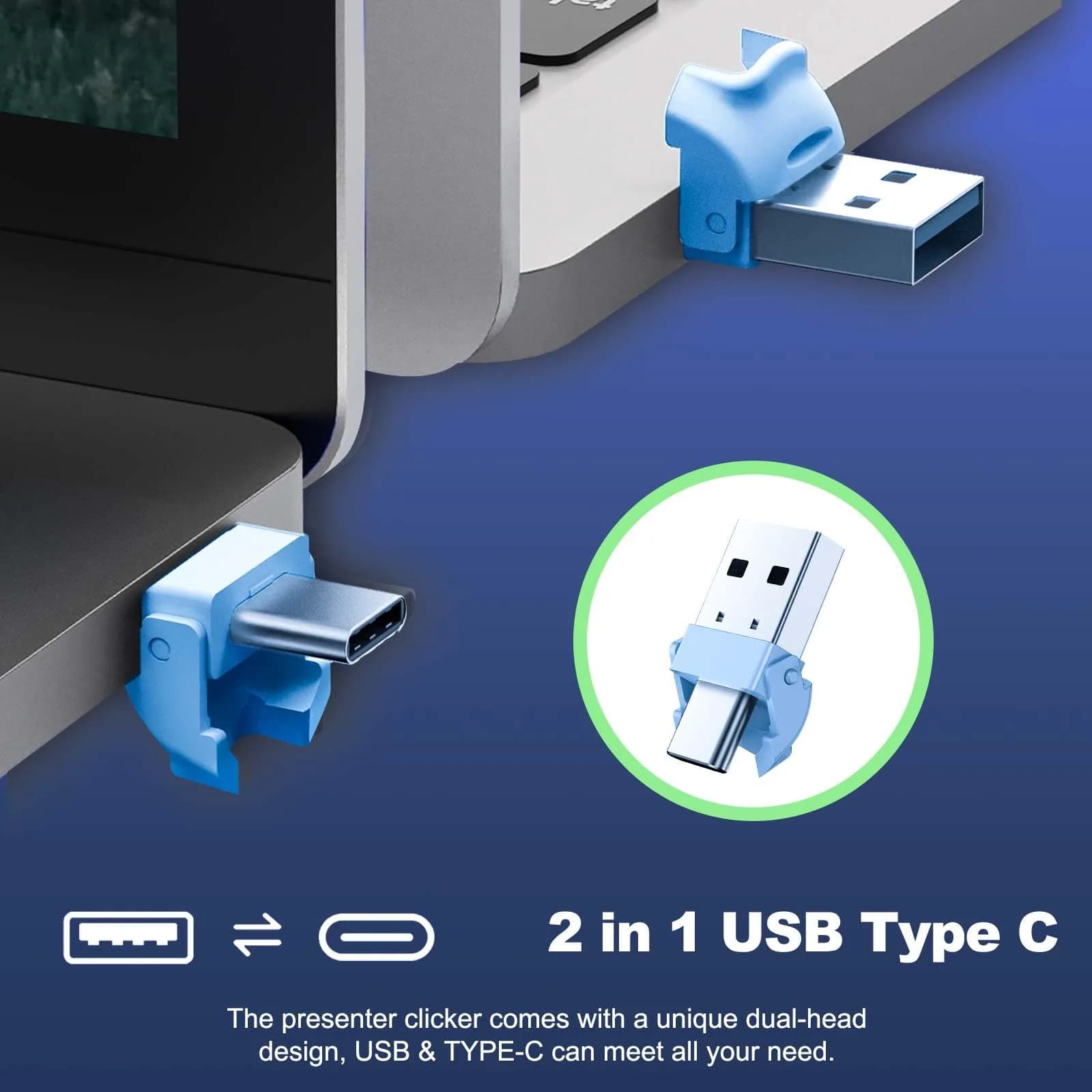
2. Locate the magnetic 2.4 GHz USB receiver. Plug it into the USB-C port of your computer (or use an adapter if needed). The receiver will automatically pair with the clicker. — Connect Receiver
3. Use the intuitive touch buttons to navigate slides (up/down), control volume, activate the laser pointer, and manage screen functions like full screen or black screen. — Control Presentation

## Product details

| Field | Value |
|---|---|
| Supported Software | PowerPoint, Excel, Google Slides, Keynote, Prezi, iWork, ACDSee |
| Operating Systems | Mac OS, Windows |
| Functions | Hyperlink Navigation, Page Up/Down, Volume Control, Power Switch, Full Screen/Black Screen |
| Cost per use | 1 year of daily use — ₹7.95 per day |
| Shelf life after opening | N/A |
| Reapplication math | N/A |
| Contraindications | Requires USB-C port or adapter; may not be compatible with all older devices without USB-A ports. |
| Allergens / common irritants | None specified |
| Brand | QUI |
| Model | BK600 |
| Part Number | BK600-blue-c |
| Color | Blue |
| Connectivity | 2.4 GHz USB-C Receiver |
| Range | Up to 100M (328 ft) |
| Battery Type | 1 x AAA (not included) |
| Material | Plastic |
| Country of Origin | Not stated by manufacturer — US retail version, sourced from authorized US retailers |

## Attributes

- **Unit count:** 1

## Frequently asked questions

### How is this QUI Presentation Clicker authentic vs the version sold in Indian stores?

Sourced directly from authorized US retailers, factory-sealed, and imported per-order. This ensures you receive the same SKU and formulation US buyers get. All customs duties and GST are included in the displayed price. It arrives 21-24 days via ExpressBox tracked shipping.
### Will the version I receive match what is shown on the US retailer's page?

Yes, orders are placed against the listed US retailer page at the time of purchase. Batch codes, packaging, and labels match what the US retailer dispatches. Photographs of every order are taken before international handover for your verification.

### What is the best presentation clicker for Indian students?

For students, a reliable plug-and-play clicker like this QUI model is excellent. It connects easily via USB-C, offers a good range, and supports common presentation software, making project presentations smoother.

### How long does a presentation clicker last?

With proper care and battery replacement, this clicker can last for years. The durable material and stable connection contribute to its longevity for regular use in classes and meetings.

### Is this QUI Presentation Clicker safe?

Yes, this presentation clicker is safe for use. It operates on standard AAA batteries and connects via USB. Always ensure you use it responsibly and avoid direct eye exposure to the laser pointer.

### Are presentation clickers healthy?

Presentation clickers themselves are not directly related to health. However, they can help improve presentation delivery by allowing you to move freely, which can be more engaging and less sedentary than standing behind a podium.

### How to choose a presentation clicker?

Consider connectivity (USB-C, USB-A), range, battery type, compatibility with your OS and software, and extra features like volume control or a laser pointer. This QUI model offers a good balance of features.

### How to use this QUI Presentation Clicker?

Insert a AAA battery (not included). Connect the USB-C receiver to your computer's USB-C port. Use the buttons to navigate slides, control volume, and manage screen functions. The laser pointer can be activated to highlight points.

### What is the best presentation clicker?

The 'best' clicker depends on your needs. For Mac users needing USB-C, this QUI model is a strong contender due to its plug-and-play nature, good range, and laser pointer. Always check compatibility.

### Can I use this presentation clicker daily?

Yes, this clicker is designed for regular use. Its durable build and stable connection make it suitable for daily classes, meetings, or presentations. Ensure you have a spare AAA battery on hand.

### Presentation clicker side effects?

There are no direct side effects from using a presentation clicker. However, avoid prolonged direct exposure of the laser pointer to eyes. Ensure the device is handled safely.

### Presentation clicker benefits?

Benefits include enhanced audience engagement through free movement, clear highlighting of key points with a laser, easy slide navigation, and volume control, all contributing to a more professional presentation.

## Compliance

No product-specific compliance warnings identified. Standard imported-goods terms apply: customs duties & GST paid; for personal use in India; follow the manufacturer's usage instructions on the packaging.

## Images

1. https://images.crowcrowcrow.com/B0DLFWLJCG-0.webp?v=2
2. https://images.crowcrowcrow.com/B0DLFWLJCG-1.webp
3. https://images.crowcrowcrow.com/B0DLFWLJCG-2.webp
4. https://images.crowcrowcrow.com/B0DLFWLJCG-3.webp
5. https://images.crowcrowcrow.com/B0DLFWLJCG-4.webp
6. https://images.crowcrowcrow.com/B0DLFWLJCG-5.webp

---

Source: https://crowcrowcrow.com/p/qui-presentation-clicker-powerpoint-2-4ghz-usb-wireless-presenter-remote-volume-control/pr7977

Returns: 14 days, free pickup, full refund on genuine issues. Shipping: Free across India, 21-24 days. Prices are all-inclusive (duties + GST).