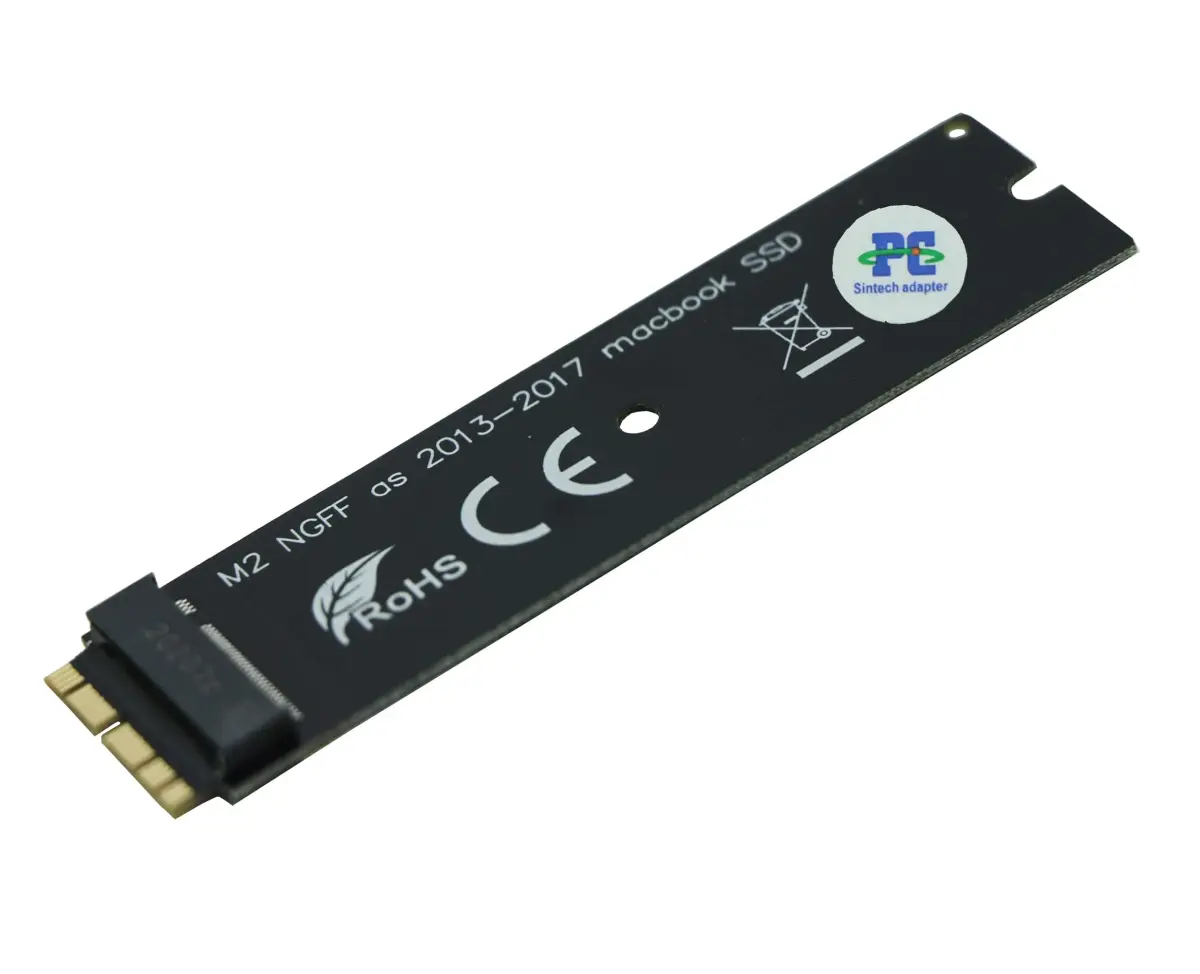
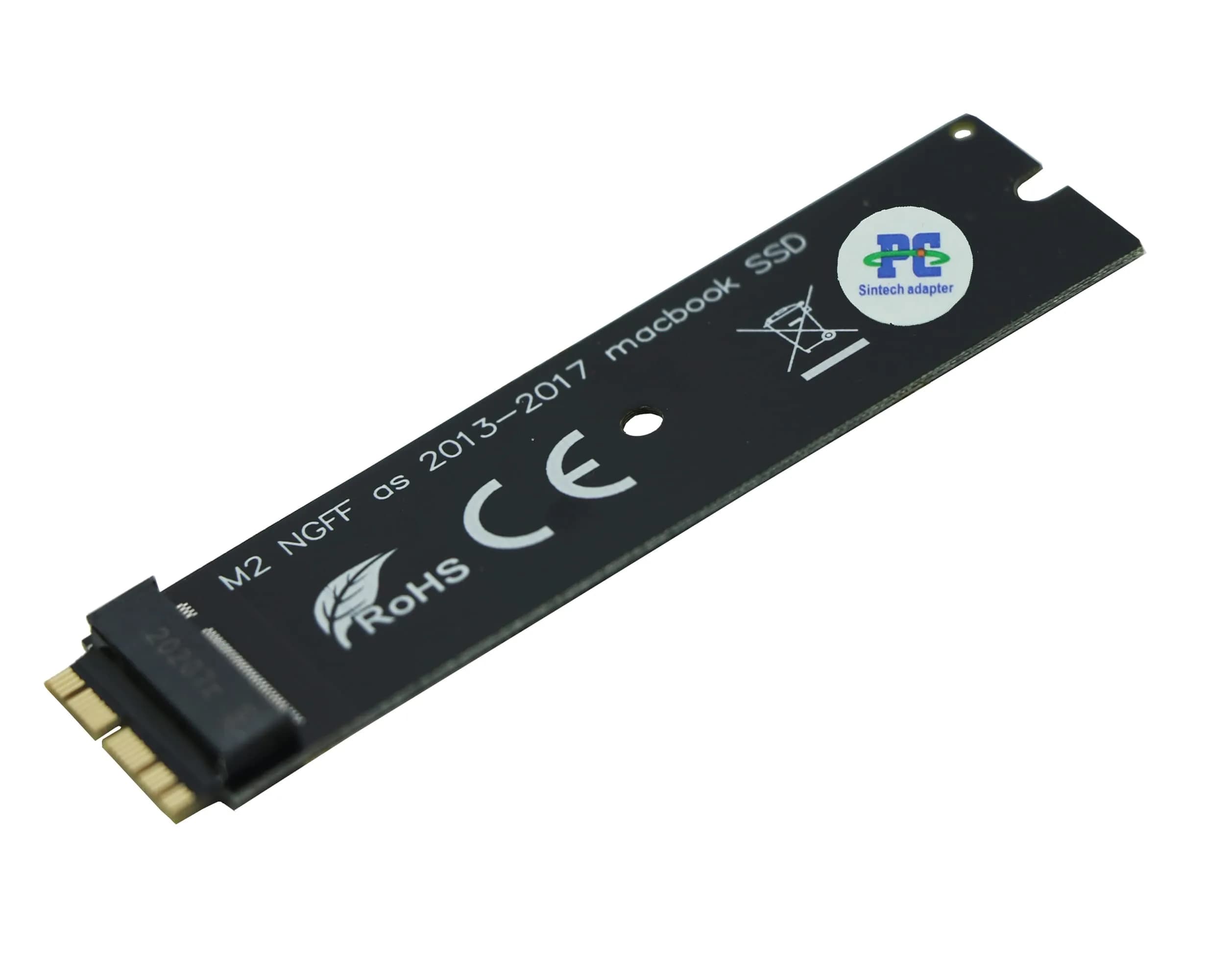
# Sintech NGFF M.2 NVMe SSD Adapter Card for 2013-2015 Macs | 1-Pack, Black

**Brand:** Sintech
**SKU:** fbm9230
**ASIN:** B01CWWAENG
**Canonical URL:** https://crowcrowcrow.com/p/sintech-ngff-nvme-ssd-adapter-card-upgrade-2013-2015-year-macs-not-fit-early-2013-macbook/fbm9230
**Category:** electronics
**Subcategory:** Categories
**Availability:** in_stock
**Price (INR, all-inclusive):** ₹1,422
**Discount:** 27%
**Customer rating:** 4.60/5 from 1,686 ratings

## Description

Sintech M.2 NVMe SSD Adapter for 2013-2015 Macs. Upgrade storage with compatible NVMe SSDs. Requires High Sierra formatting and bootable USB. Black, 1-pack.

## Highlights

- NVMe SSD Upgrade for Select Macs — Installs compatible M.2 NVMe SSDs into 2013-2015 MacBook models, offering a significant storage and speed upgrade over original drives.
- Broad SSD Compatibility — Supports numerous NVMe SSDs from Adata, Corsair, Crucial, HP, Intel, Toshiba, Samsung, and WD, providing flexibility in choosing your upgrade.
- Requires High Sierra & Bootable USB — Installation necessitates formatting the new SSD with macOS High Sierra and preparing a bootable USB installer; internet recovery is not supported.
- Includes Installation Accessories — Comes with a black film covering pins, an installation guide, a longer T5 screw, and a PE pad for a smoother setup process.

## Key features

- Notice: The card comes with blak film covering pins ,Sintech install guide paper-card,longer T5 screw and PE PAD,if you didn't get these accessories ,pls report it to us.
- Support Adata NVMe SSD : SX6000, SX7000, SX8200, SX8200 Pro etc,Corsair : MP500, MP510,Crucial : P1,HP: ex920, ex950
- Support Intel NVMe SSD : 600p, 660p, 760p,Toshiba XG3-XG4-XG5-XG5p-XG6 line,Samsung: 960 Evo, 960 Pro, 970 Evo, 970 Pro,WD:v1, v2 and v3,MyDigital: SBX - BPX
- NOT Support: Samsung 970 Evo Plus,PM981,950 Pro
- Notice:It can't support recovering from internet,important to prepare bootable USB disk driver(M.2 PCIe has no OS systerm inside,it must be erased first).There is hibernation for all 2013-2014 Macs,you can set it to resolve this problem by typing "sudo pmset standby 1" as guider in attached photo.if you don't know how to do this, you can ask for help.

## Why choose this product

- Unlock Your Mac's Potential — This Sintech adapter is engineered to bring modern NVMe SSD speeds to your compatible 2013-2015 MacBook. By enabling the use of faster, more capacious drives, you can significantly reduce boot times, application loading, and file transfer speeds. This upgrade breathes new life into older Mac models, making them feel more responsive for daily tasks. The adapter is designed for a snug fit and comes with essential accessories to aid installation. While it requires a specific software setup, the performance gains are substantial for users looking to extend their Mac's usability.
- Who Should Buy vs. Who Should Skip — This adapter is ideal for owners of 2013-2015 MacBook models (excluding early 2013 MacBook Pro) who want to upgrade to a faster NVMe SSD and are comfortable performing the necessary software and hardware installation steps. It's perfect for users who need more storage or faster performance for tasks like video editing, graphic design, or managing large datasets. Skip this if your Mac model is not listed, if you are not comfortable with manual installation and software formatting, or if you require internet recovery functionality. Also, avoid if you plan to use incompatible SSDs like the Samsung 970 Evo Plus.

## How to use

1. Ensure your Mac has macOS High Sierra installed and updated firmware. Create a bootable USB installer for High Sierra. Format your new M.2 NVMe SSD using Disk Utility within the High Sierra installer environment. — Prepare Your Mac and SSD
2. Carefully open your MacBook, disconnect the battery, insert the Sintech adapter, and then securely seat the M.2 NVMe SSD into the adapter. Ensure both components are fully connected. Reconnect the battery before closing the Mac. — Install the Adapter and SSD
3. Insert the bootable USB installer, restart your Mac, and hold the Option key to select the USB drive. Follow the on-screen prompts to install macOS onto the newly formatted NVMe SSD. For 2013-2014 Macs, address hibernation issues with 'sudo pmset standby 1'. — Boot from USB and Complete Setup

## Product details

| Field | Value |
|---|---|
| Finish Type | NVMe |
| Installation | Requires macOS High Sierra, bootable USB installer, and manual formatting of SSD. Disconnect battery during installation. Ensure snug fit of adapter and SSD. |
| Hibernation Fix (2013-2014 Macs) | Type 'sudo pmset standby 1' in Terminal if hibernation issues occur. |
| Supported SSDs | Select NVMe SSDs from Adata, Corsair, Crucial, HP, Intel, Toshiba, Samsung, WD. (See product details for specific models). |
| Unsupported SSDs | Samsung 970 Evo Plus, PM981, 950 Pro. |
| Brand | Sintech |
| Model Number | ST-NGFF2013 |
| Connector Type | M.2 NVMe |
| Color | Black |
| Size | Long |
| Item Weight | 0.01 kg (0.02 lb) |
| Package Weight | 0.018 kg (0.04 lb) |
| Package Dimensions | 0.7 cm x 5.2 cm x 10.5 cm (0.28 in x 2.05 in x 4.13 in) |
| Number of Items | 1 |
| Number of Packs | 1 |
| Number of Ports | 1 |
| Compatible Devices | Laptop |
| Specific Uses for Product | Laptop |
| Power Plug Type | no_plug |
| Batteries Included | False |
| Batteries Required | False |
| Warranty Description | 6 months |

## Frequently asked questions

### How do I install the Sintech M.2 NVMe SSD Adapter in my Mac?

Installation involves opening your Mac, disconnecting the battery, seating the adapter and new NVMe SSD securely, and reconnecting the battery. You must also prepare a bootable USB installer with macOS High Sierra to format the new SSD, as it cannot recover from the internet. Follow the provided guide carefully.

### What SSDs are compatible with this adapter?

This adapter supports select NVMe SSDs from brands like Adata (SX6000, SX7000, SX8200), Corsair (MP500, MP510), Crucial (P1), HP (ex920, ex950), Intel (600p, 660p, 760p), Toshiba (XG3-XG6 line), Samsung (960 Evo, 960 Pro, 970 Evo, 970 Pro), and WD (v1, v2, v3). It is NOT compatible with Samsung 970 Evo Plus, PM981, or 950 Pro.

### Can I use this adapter with my early 2013 MacBook Pro?

No, this specific Sintech adapter is not designed for early 2013 MacBook Pro models. It is intended for 2013-2015 MacBook models. Always verify your Mac's model year and compatibility before purchasing to ensure a proper fit and function.

### Does this adapter support internet recovery for macOS?

No, this adapter does not support recovering macOS from the internet. You must prepare a bootable USB disk with macOS High Sierra to format the new M.2 NVMe SSD before installation. This is a crucial step for the adapter to function correctly with your Mac.

### What if my 2013-2014 Mac has hibernation issues after installing the SSD?

For 2013-2014 Macs experiencing hibernation problems, you can resolve this by typing the command 'sudo pmset standby 1' in Terminal. This adjustment helps manage power settings and ensures smoother operation after the SSD upgrade. Assistance is available if you need help with this step.

### How do I ensure the adapter and SSD are properly installed?

Ensure both the adapter and the new NVMe SSD are fully and snugly inserted into their respective slots. It's recommended to disconnect the Mac's battery before switching out the drive and reconnect it only before closing the shell. This prevents potential short circuits and ensures a secure connection.

## Compliance

No product-specific compliance warnings identified. Standard imported-goods terms apply: customs duties & GST paid; for personal use in India; follow the manufacturer's usage instructions on the packaging.

## Images

1. https://images.crowcrowcrow.com/B01CWWAENG-0.webp
2. https://images.crowcrowcrow.com/B01CWWAENG-3.webp
3. https://images.crowcrowcrow.com/B01CWWAENG-6.webp
4. https://images.crowcrowcrow.com/B01CWWAENG-8.webp
5. https://images.crowcrowcrow.com/B01CWWAENG-11.webp
6. https://images.crowcrowcrow.com/B01CWWAENG-14.webp

---

Source: https://crowcrowcrow.com/p/sintech-ngff-nvme-ssd-adapter-card-upgrade-2013-2015-year-macs-not-fit-early-2013-macbook/fbm9230

Returns: 30 days, free, by mail. Shipping: Free across India, 7–13 business days. Prices are all-inclusive (duties + GST).