# StarTech.com USB-C to 4-HDMI Adapter 50cm | 4x 1080p 60Hz, Windows Only, USB Powered

**Brand:** StarTech.com
**SKU:** kep5797
**ASIN:** B09CDZXX3S
**Canonical URL:** https://crowcrowcrow.com/p/startech-50cm-usb-c-4-hdmi-adapter-1080p-60hz-usb-powered-taa/kep5797
**Category:** electronics
**Subcategory:** Categories
**Availability:** in_stock
**Price (INR, all-inclusive):** ₹15,254
**Discount:** 17%
**Customer rating:** 4.20/5 from 173 ratings

## Description

StarTech.com USB-C to 4-HDMI Adapter expands your Windows PC with four 1080p 60Hz displays. USB powered with auto-driver install and multitasking software. Ideal for professionals needing more screen space. Arrives via ExpressBox tracked delivery.

## Highlights

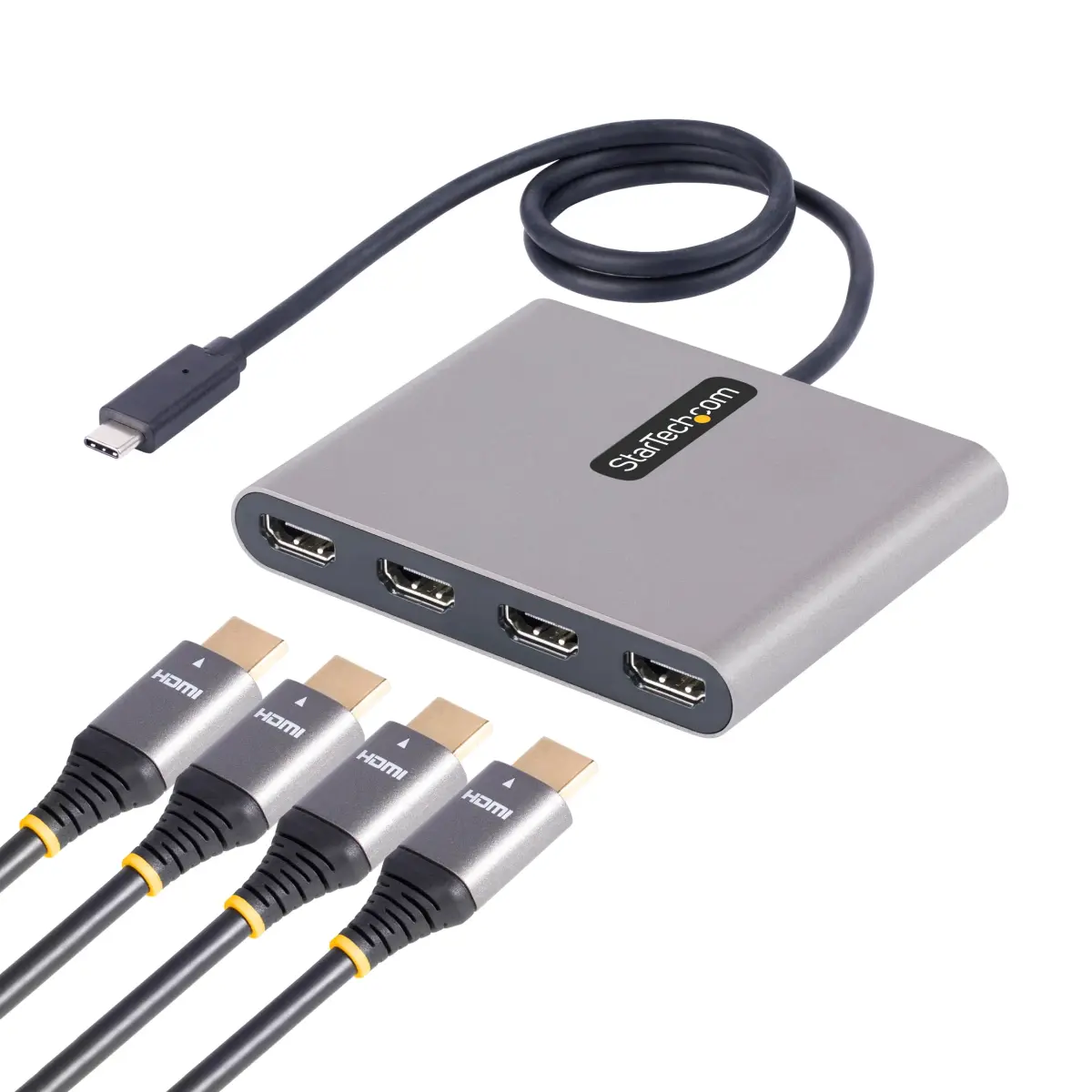
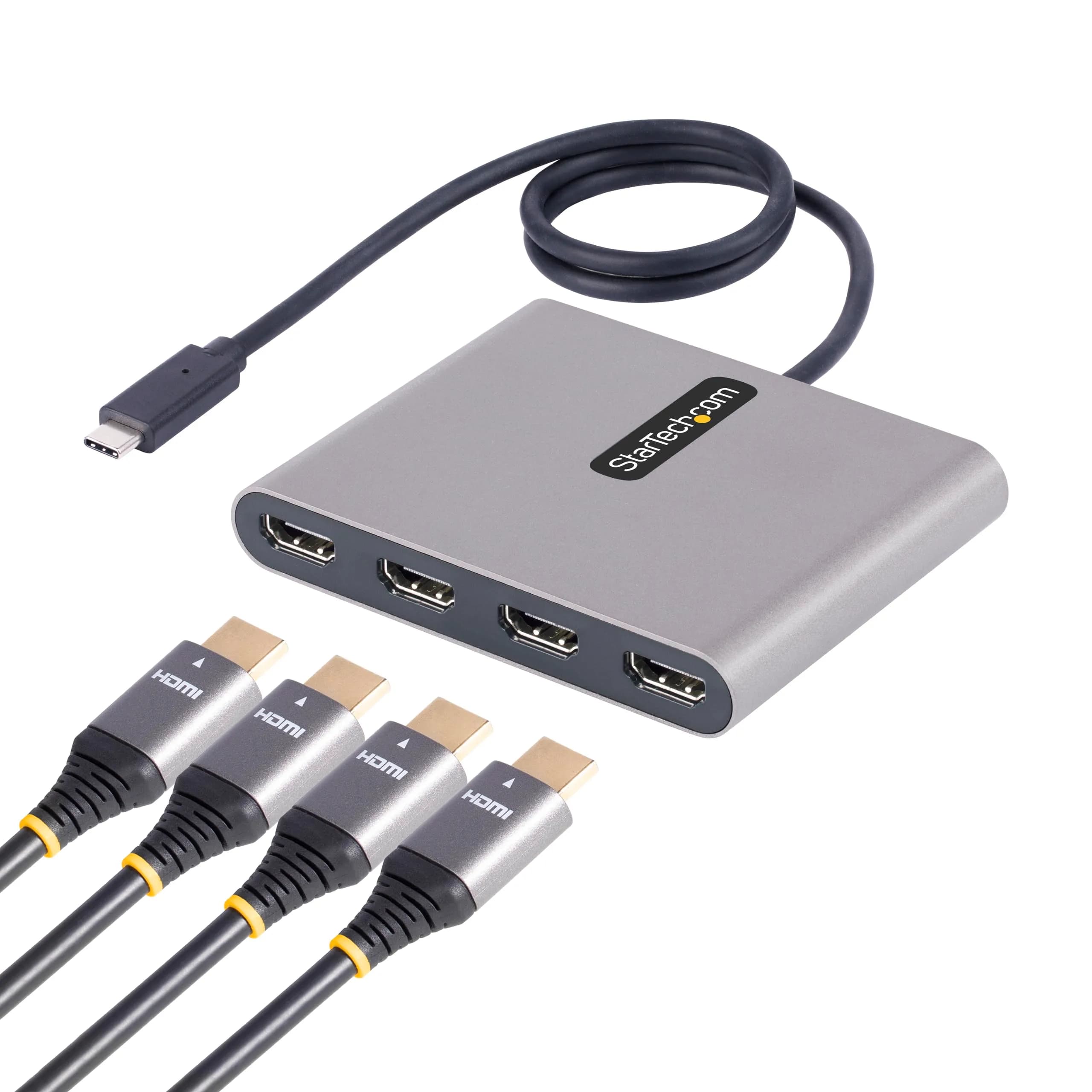
- Quad 1080p 60Hz HDMI Outputs — Connect up to four independent HDMI monitors, each running at a smooth 1080p resolution and 60Hz refresh rate, for a total of five displays including your laptop screen.
- Windows-Optimized Productivity — Specifically designed for Windows PCs (X86/X64/ARM), this adapter enhances multitasking with included software for window arrangement, drag-and-drop, and split scaling.
- USB Bus-Powered Simplicity — No external power adapter needed. The adapter draws power directly from your laptop's USB-C port, simplifying setup and reducing cable clutter for a cleaner workspace.
- Plug-and-Play Setup — Features automatic driver installation for quick setup on compatible Windows systems. The attached 50cm USB-C cable provides added flexibility in positioning your adapter and monitors.

## Key features

- COMPATIBILITY: This adapter is only compatible with Windows and does not support macOS, ChromeOS or Linux; Works with all Windows X86/X64/ARM platforms: Intel, AMD, and Snapdragon X Copilot+ PC; Administrator rights are required to install the drivers
- QUAD MONITOR DISPLAY ADAPTER: USB 3.0 to 4x HDMI video adapter lets you extend your desktop by adding up to four HDMI monitors to your laptop or desktop computer; 4x 1080p 60Hz displays; 2ch audio (one source replicated to all displays through HDMI)
- INCREASE PRODUCTIVITY: USB 3.0 to HDMI adapter supports a total of 5 displays in extended mode (incl. laptop screen) at your workstation or working remotely from home; External video graphics card is USB bus-powered with no extra power supply required
- MULTI-MONITOR ASSISTANT: Increase productivity w/ included software for multi-tasking and window arrangement; drag & drop windows to a selected monitor, zoom in/out, and split/scale
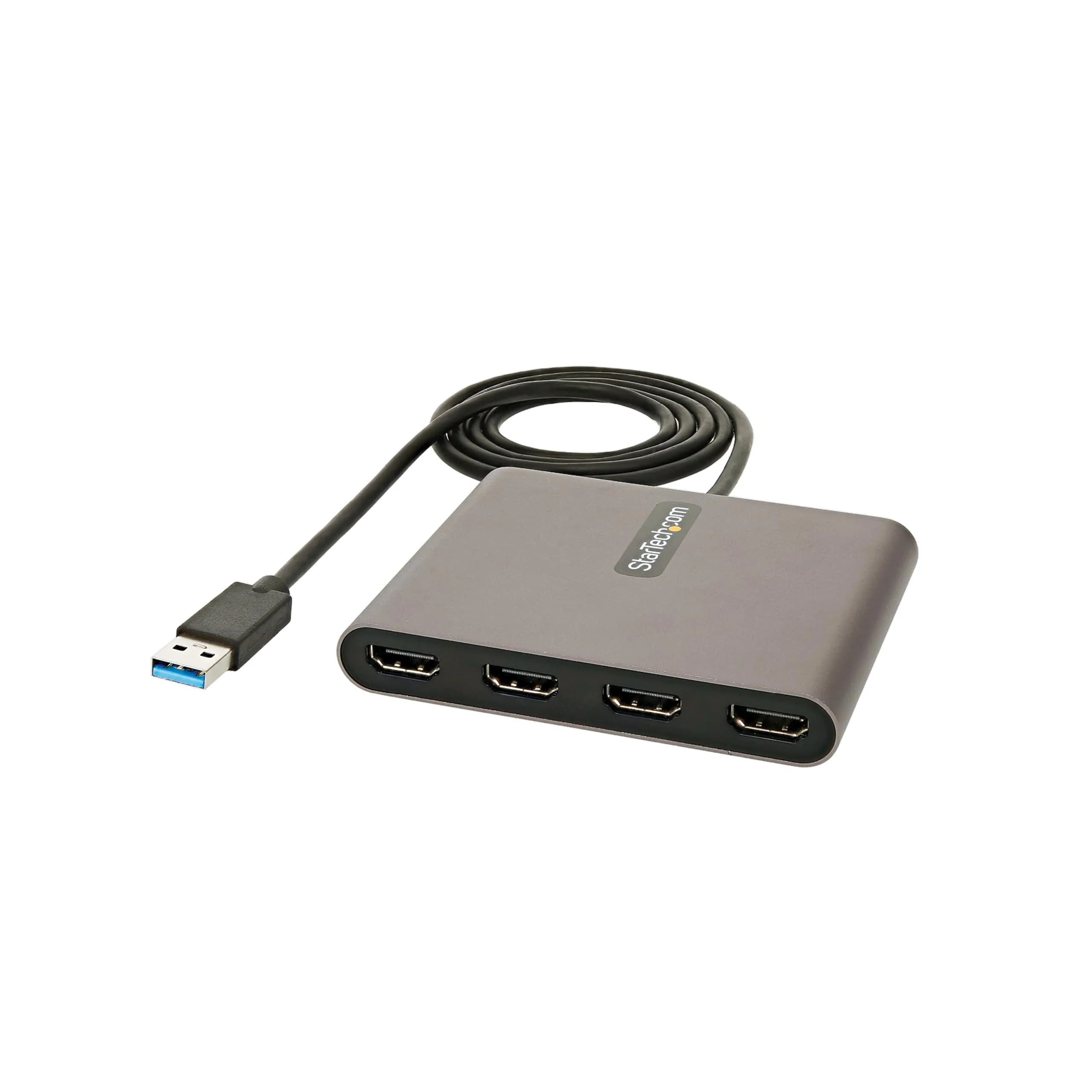
- EASY SETUP: USB-A to HDMI quad monitor adapter dongle is equipped w/ a 1.6ft (50cm) attached USB-A cable for added distance between the adapter & host device for multiple monitor workspace or HDTV boardroom setup

## Why choose this product

**Boost Your Windows Workflow** — This StarTech.com adapter is engineered to maximize your productivity on Windows systems. It allows you to extend your desktop across four independent HDMI displays, each capable of 1080p resolution at 60Hz. This setup is ideal for professionals who need to reference multiple documents, applications, or data streams simultaneously, reducing the need to constantly switch between windows. The included Multi-Monitor Assistant software further streamlines multitasking by enabling features like drag-and-drop window management and split scaling, making complex workflows more manageable. It's bus-powered, so it integrates seamlessly without extra power bricks.

**Ideal for Professionals, Not for Mac Users** — This adapter is perfect for Windows users in fields like programming, graphic design, data analysis, or finance who require extensive screen real estate. It's particularly useful for users with laptops that have limited display outputs. However, this adapter is strictly for Windows operating systems and does not support macOS, ChromeOS, or Linux. If you use a Mac or other non-Windows device, you will need a different adapter solution. Administrator rights are also required for driver installation on Windows.

## How to use

1. Plug the attached USB-C cable of the StarTech.com adapter into a compatible USB-C port on your Windows laptop or desktop computer. Ensure the port supports display output. — Connect Adapter to Laptop
2. Connect up to four HDMI monitors to the adapter's HDMI ports using standard HDMI cables. Ensure your monitors are powered on and set to the correct input source. — Connect HDMI Monitors
3. Your Windows system should automatically detect the adapter and begin driver installation. If prompted, grant administrator rights. Install the included Multi-Monitor Assistant software for advanced window management features. — Install Drivers and Software
4. Go to your Windows display settings to extend or mirror your desktop across the connected monitors. Use the Multi-Monitor Assistant software to arrange windows and optimize your workspace for maximum productivity. — Configure Displays

## Product details

| Field | Value |
|---|---|
| Chipset | FTDI (or similar high-performance chipset for Windows compatibility) |
| Audio Support | 2-Channel Audio via HDMI |
| Maximum Resolution | 1920x1080 @ 60Hz per port |
| Total Displays Supported | Up to 5 (including laptop screen) |
| Operating Systems | Windows (X86/X64/ARM) |
| Driver Installation | Automatic via USB; Administrator rights required |
| Software Features | Multi-Monitor Assistant (window arrangement, zoom, split scaling) |
| Brand | StarTech.com |
| Model Number | USBC2HD4 |
| Part Number | USBC2HD4 |
| Color | Space Gray |
| Material | Aluminum |
| Connector Type | USB Type-C (Male), HDMI (Female) |
| Cable Length | 50 cm (1.6 ft) |
| Item Dimensions (Adapter) | 10.2 cm x 8.1 cm x 1.5 cm (4 in x 3.2 in x 0.6 in) |
| Item Weight | 0.16 kg (0.36 lbs) |
| Package Dimensions | 21.2 cm x 14.6 cm x 4.1 cm (8.3 in x 5.7 in x 1.6 in) |
| Package Weight | 0.26 kg (0.57 lbs) |
| Power Source | USB Bus-Powered (5V DC, 0.5A) |
| Number of Ports | 4x HDMI |
| Country of Origin | TAA Compliant (USA) |

## Frequently asked questions

### Will this USB-C to 4-HDMI adapter work with my Mac or Linux computer?

No, this specific StarTech.com adapter is designed exclusively for Windows operating systems (X86/X64/ARM platforms). It does not support macOS, ChromeOS, or Linux. For Mac or Linux compatibility, a different adapter model would be required. Administrator rights are necessary for driver installation on Windows systems.

### How do I set up the StarTech.com USB-C to 4-HDMI adapter?

Setup is straightforward: connect the adapter's attached USB-C cable to a USB-C port on your Windows computer. Then, connect your HDMI monitors to the adapter's four HDMI ports. The adapter supports automatic driver installation. Ensure you have administrator rights on your Windows PC for the drivers to install correctly. The included Multi-Monitor Assistant software can then be used to configure your display layout.

### What is the maximum resolution and refresh rate supported by this adapter?

Each of the four HDMI ports on this adapter supports a maximum resolution of 1920x1080 (1080p) at a 60Hz refresh rate. This ensures smooth video playback and a responsive display experience for all connected monitors. The adapter also supports 2-channel audio through the HDMI connection.

### Can I mirror my screen using this adapter?

Yes, the adapter allows you to extend your desktop or mirror your displays. In extended mode, you can have up to four independent HDMI monitors plus your laptop screen. The adapter is capable of mirroring up to two additional displays, providing flexibility in how you configure your multi-monitor setup.

### Is this adapter powered externally?

No, this adapter is USB bus-powered. It draws power directly from the USB Type-C port on your host computer, eliminating the need for an external power adapter. This makes it a convenient and portable solution, reducing cable clutter.

### What are the benefits of using a quad monitor setup with this adapter?

Using four additional monitors significantly boosts productivity by allowing you to view multiple applications, reference materials, or data streams simultaneously without constantly switching windows. This is invaluable for tasks like programming, data analysis, content creation, and multitasking, leading to increased efficiency and reduced eye strain.

## Compliance

No product-specific compliance warnings identified. Standard imported-goods terms apply: customs duties & GST paid; for personal use in India; follow the manufacturer's usage instructions on the packaging.

## Images

1. https://images.crowcrowcrow.com/B09CDZXX3S-0.webp
2. https://images.crowcrowcrow.com/B09CDZXX3S-3.webp
3. https://images.crowcrowcrow.com/B09CDZXX3S-6.webp
4. https://images.crowcrowcrow.com/B09CDZXX3S-9.webp
5. https://images.crowcrowcrow.com/B09CDZXX3S-12.webp
6. https://images.crowcrowcrow.com/B09CDZXX3S-15.webp

---

Source: https://crowcrowcrow.com/p/startech-50cm-usb-c-4-hdmi-adapter-1080p-60hz-usb-powered-taa/kep5797

Returns: 14 days, free pickup, full refund on genuine issues. Shipping: Free across India, 6-8 days. Prices are all-inclusive (duties + GST).