# TRADOCK Joystick Thumb Stick Replacement for ROG Ally RC71L, GPD Win 3/4, Pico 2/3 Controllers (2-Pack, Gray)

**Brand:** TRADOCK
**SKU:** ntq6610
**ASIN:** B0FQ1R82RV
**Canonical URL:** https://crowcrowcrow.com/p/joystick-thumb-stick-replacement-rog-ally-rc71l-handheld-console-analog-repair-kit-gpd-win/ntq6610
**Category:** electronics
**Subcategory:** Categories
**Availability:** in_stock
**Price (INR, all-inclusive):** ₹2,514
**Discount:** 16%
**Customer rating:** 4.70/5 from 112 ratings

## Description

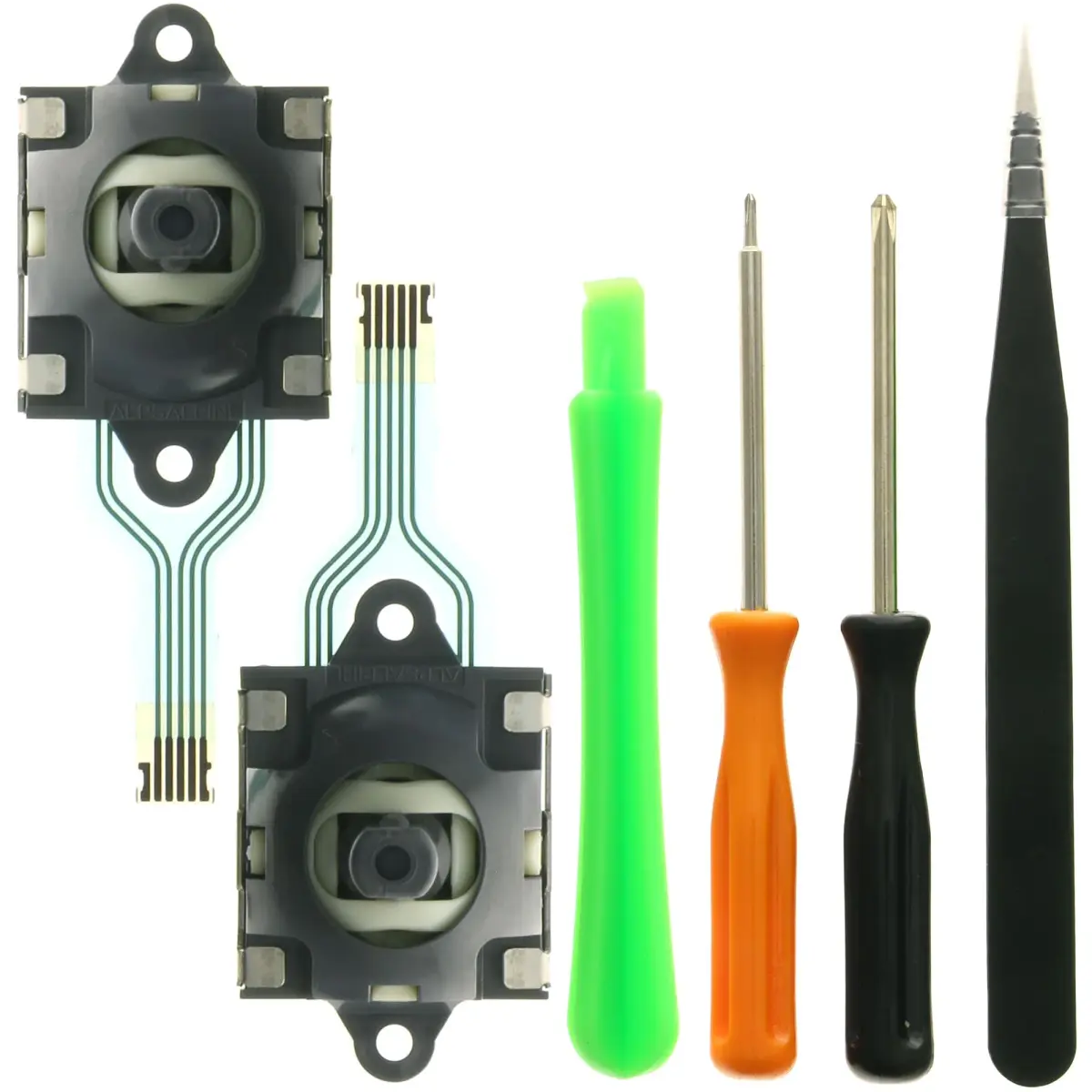
TRADOCK 2-Pack Joystick Thumb Stick Replacement Kit for ROG Ally, GPD Win, and Pico controllers. Fixes drift, dead zones, and unresponsive controls with durable ABS plastic and metal. Includes tools for easy installation. Arrives via ExpressBox tracked delivery.

## Highlights

- Fixes Common Controller Issues — Effectively resolves joystick drift, dead zones, blind spots, and unresponsive movement, restoring precise control for an enhanced gaming experience on compatible handheld consoles.
- Durable ABS Plastic & Metal Build — Constructed with premium ABS plastic and metal components for enhanced durability and smooth, accurate control, ensuring a longer lifespan for your repaired joysticks.
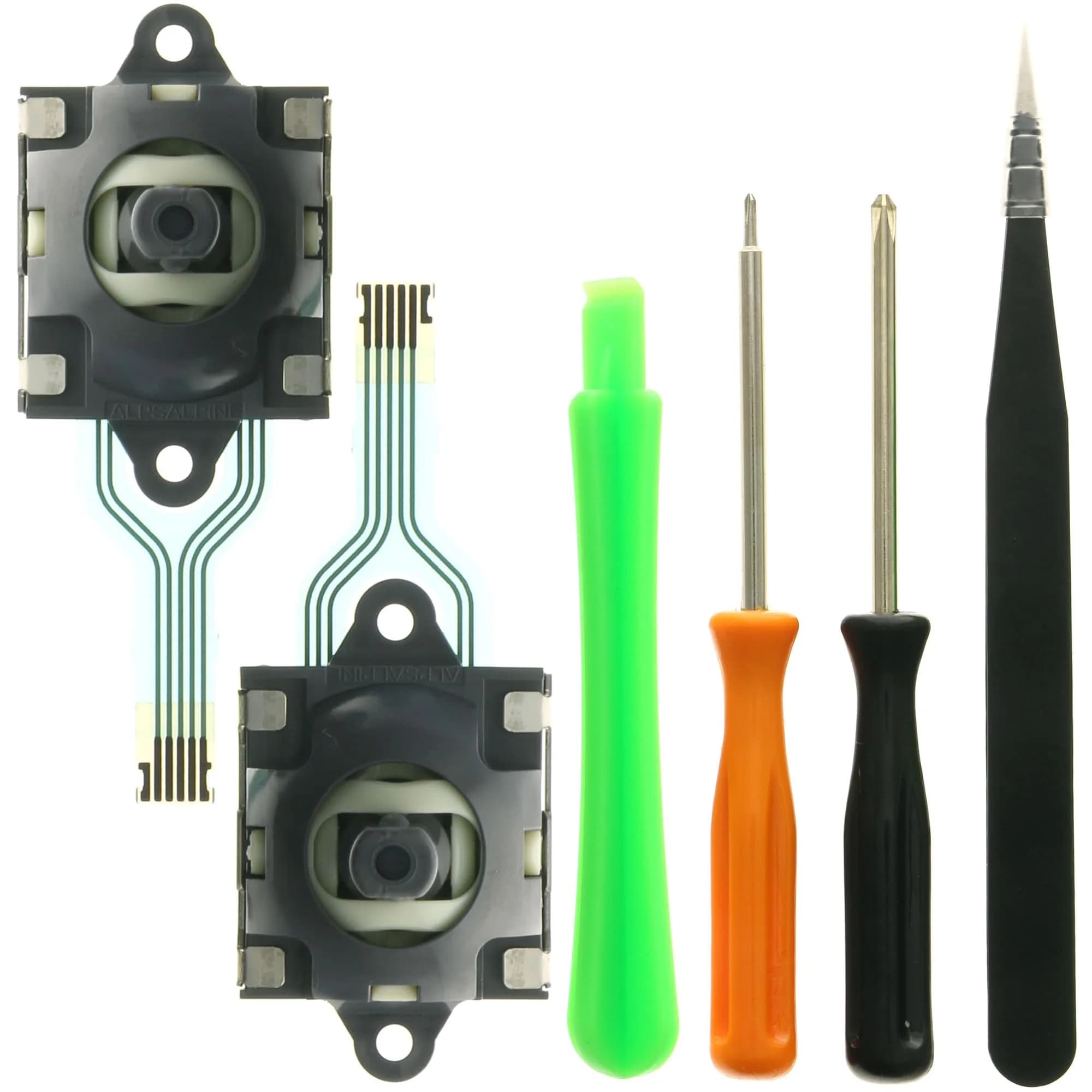
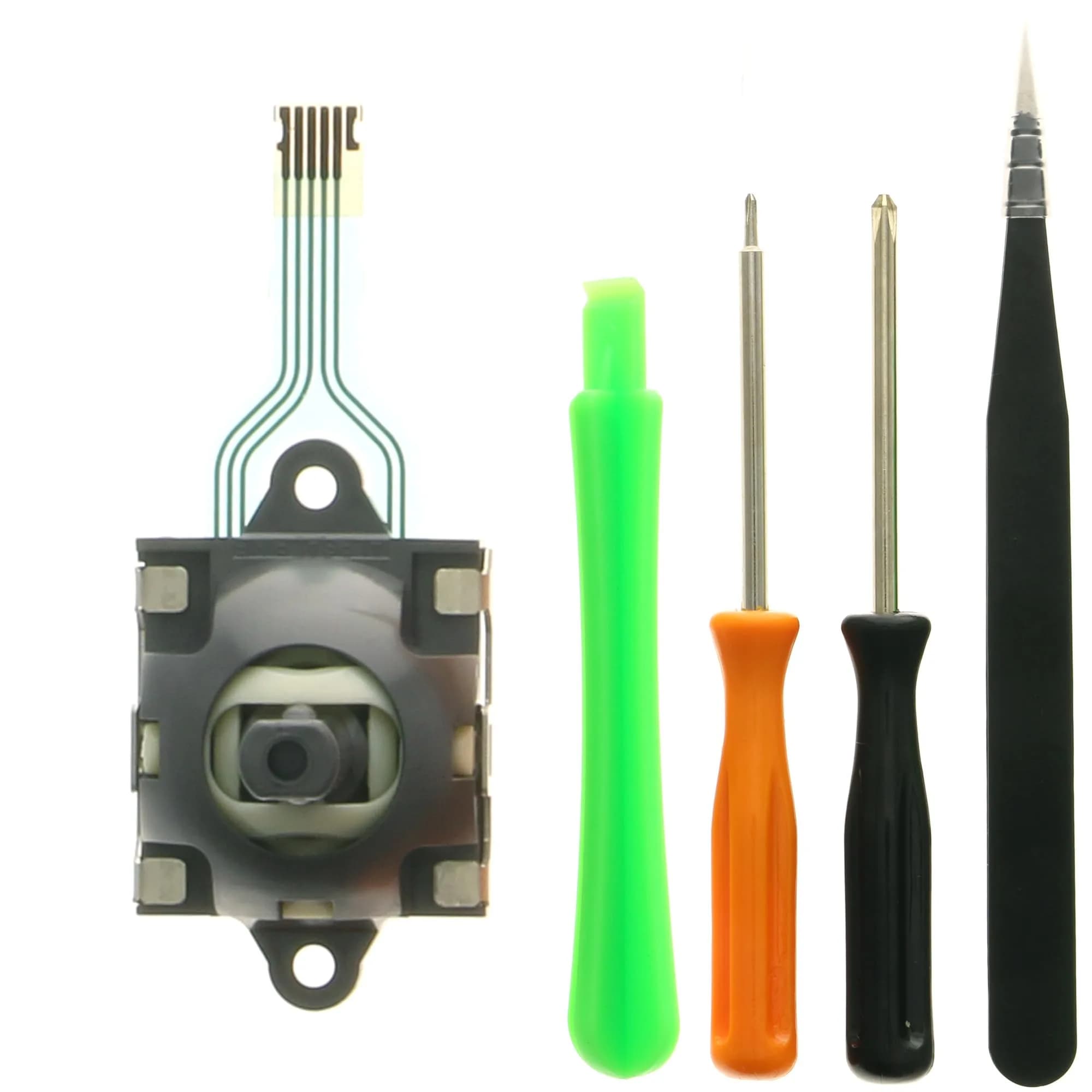
- Complete Installation Tool Kit — Comes with 2 replacement joysticks and a full repair set including screwdrivers, pry tools, and tweezers, enabling a quick and convenient DIY installation without soldering.
- Wide Compatibility for Handhelds — Specifically designed for ROG Ally RC71L, GPD Win 3/4, and Pico 2/3 controllers, offering a perfect replacement solution for worn-out or broken joysticks on these popular devices.

## Key features

- Perfect Compatibility – Designed for ROG Ally RC71L handheld console, GPD Win 3, Win 4, and Pico 2 / Pico 3 controllers. A great replacement solution for worn-out, broken, or drifting joysticks.
- Fix Common Issues – Effectively solves drifting, dead zones, blind spots, unresponsive or loose thumb sticks. Restore precise control and bring your handheld or VR device back to life.
- Durable Quality – Made of premium ABS plastic and metal for long-lasting performance. Each joystick is tested before shipping to ensure accuracy, smooth movement, and reliable operation.
- Easy to Install with Tools – Comes with 2 replacement joysticks plus a repair kit including screwdriver, pry tools, and tweezers. Provides everything you need for quick and convenient installation.
- User-Friendly Replacement – No soldering required. Simply remove the old joystick and install the new one with the included tools. Calibration may be needed after replacement to ensure optimal performance.

## Why choose this product

- Don't let controller drift ruin your game. This TRADOCK kit provides a direct fix for common joystick failures, restoring the accuracy and responsiveness needed for competitive play. Imported from authorized US retailers, each component is tested for smooth movement and reliable operation. Enjoy a seamless gaming experience with precise control, ensuring you don't miss a critical move in your favorite titles. — Restore Precision for Immersive Gaming
- This replacement kit is ideal for owners of ROG Ally RC71L, GPD Win 3/4, and Pico 2/3 handheld consoles experiencing joystick issues. If you own a different console like a PlayStation or Xbox, these specific joysticks will not be compatible. For those devices, look for controllers or replacement parts specifically designed for those platforms. — Ideal for ROG Ally & GPD Users, Skip if Using Other Consoles

## How to use

1. Gather the TRADOCK Joystick Thumb Stick Replacement Kit. Ensure you have a clean, well-lit workspace. Use the included pry tools to carefully open the back casing of your ROG Ally, GPD Win, or Pico controller. — Prepare for Repair
2. Locate the existing joystick module. Use the provided screwdriver to remove any screws securing it. Gently disconnect the ribbon cable connecting the joystick to the controller's motherboard, then lift out the old joystick. — Remove Old Joystick
3. Align the new TRADOCK joystick module with the socket. Connect its ribbon cable securely. Re-insert any screws removed in the previous step. Close the controller casing carefully. — Install New Joystick
4. Power on your handheld console and navigate to the controller settings. Test the new joystick for responsiveness and drift. If necessary, perform controller calibration through your device's system settings for optimal performance. — Test and Calibrate

## Product details

| Field | Value |
|---|---|
| Compatibility | ROG Ally RC71L, GPD Win 3, Win 4, Pico 2, Pico 3 controllers |
| Issue Fixes | Joystick drift, dead zones, blind spots, unresponsive movement |
| Installation | No soldering required; includes tools |
| Calibration | May be necessary after replacement |
| Brand | TRADOCK |
| Color | Gray |
| Size | 2-Pack |
| Material | ABS Plastic and Metal |
| Country of Origin | Not stated by manufacturer — US retail version, sourced from authorized US retailers |

## Frequently asked questions

### How to buy an original TRADOCK Joystick Thumb Stick Replacement in India?

Purchase TRADOCK Joystick Thumb Stick Replacements directly from crowcrowcrow.com. We import authentic products from authorized US retailers, ensuring they are factory-sealed and come with all customs duties and GST included. Delivery is via ExpressBox tracked shipping for peace of mind.

### Is this joystick replacement compatible with my ROG Ally RC71L?

Yes, this TRADOCK Joystick Thumb Stick Replacement Kit is specifically designed for perfect compatibility with the ROG Ally RC71L handheld console, along with GPD Win 3/4 and Pico 2/3 controllers.

### What common controller issues does this kit fix?

This kit effectively solves common joystick problems such as drifting, dead zones, blind spots, and unresponsive or loose thumb stick movement, restoring precise control to your device.

### Does the kit include tools for installation?

Yes, the TRADOCK kit comes with 2 replacement joysticks and a complete repair toolset, including screwdrivers, pry tools, and tweezers, to facilitate easy and convenient installation.

### Do I need to solder to install these joysticks?

No, soldering is not required for installation. The joysticks are designed for a user-friendly replacement process; simply remove the old joystick and install the new one using the included tools. Calibration may be needed afterward.

## Compliance

This product is a replacement part for gaming consoles. Ensure compatibility before purchase. Calibration may be required after installation. Not intended for use by children under 14 without adult supervision.

## Images

1. https://images.crowcrowcrow.com/B0FQ1R82RV-0.webp
2. https://images.crowcrowcrow.com/B0FQ1R82RV-3.webp
3. https://images.crowcrowcrow.com/B0FQ1R82RV-6.webp
4. https://images.crowcrowcrow.com/B0FQ1R82RV-9.webp
5. https://images.crowcrowcrow.com/B0FQ1R82RV-12.webp

---

Source: https://crowcrowcrow.com/p/joystick-thumb-stick-replacement-rog-ally-rc71l-handheld-console-analog-repair-kit-gpd-win/ntq6610

Returns: 30 days, free, by mail. Shipping: Free across India, 7–13 business days. Prices are all-inclusive (duties + GST).