# 10Gtek 10Gb PCIe Network Card XL710-10G-2S with Dual SFP+ Ports | PCI Express 3.0 x8 Lane Ethernet Adapter

**Brand:** 10Gtek
**SKU:** jjb2884
**ASIN:** B07PM4QCZR
**Canonical URL:** https://crowcrowcrow.com/p/10gtek-10gb-pcie-sfp-nic-network-card-compare-intel-x710-da2/jjb2884
**Category:** electronics
**Subcategory:** Categories
**Availability:** in_stock
**Price (INR, all-inclusive):** ₹14,388
**Discount:** 28%
**Customer rating:** 4.40/5 from 819 ratings

## Description

The 10Gtek XL710-10G-2S is a 10Gbps PCIe network card with dual SFP+ ports, ideal for servers and PCs. It uses an Intel X710-BM2 controller for stable connectivity and supports advanced virtualization offloads. Imported from authorized US retailers, all duties are included, with delivery via ExpressBox.

## Highlights

- High-Speed 10Gbps Connectivity — Achieve rapid data transfer rates with dual SFP+ ports, perfect for demanding data center environments and high-performance computing. Supports 10 Gigabit Ethernet for seamless network operations.
- Advanced Virtualization Support — Leverage Intel X710-BM2 controller with NVGRE, VXLAN, and GENEVE offloads for enhanced server stability and performance in virtualized environments. Optimizes network functions for NFV.
- Broad System Compatibility — Works with Windows Server, Windows 7/8/10, Linux, and VMware ESX. Offers unified networking for LAN and storage (NAS/SAN), ensuring integration into diverse IT infrastructures.
- Flexible Installation Options — Includes both standard and low-profile brackets, making it easy to install in small form factor or standard computer cases and servers. Ensures a secure fit for your build.

## Key features

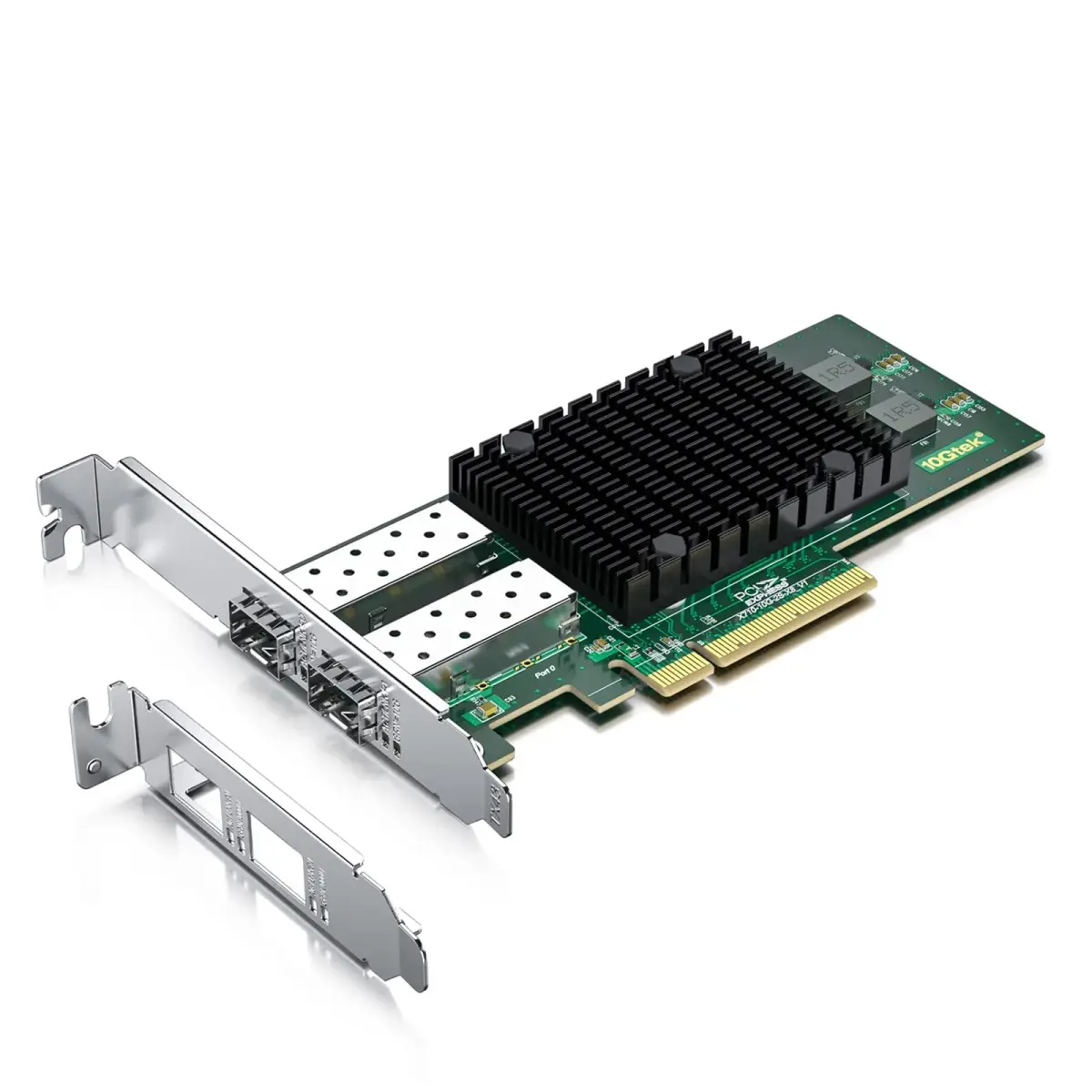
- Equipped with original Intel X710-BM2 controller chip which supports I/O virtualization. Network Virtualization offloads Including Geneve, VXLAN and NVGRE, make the servers more stable.
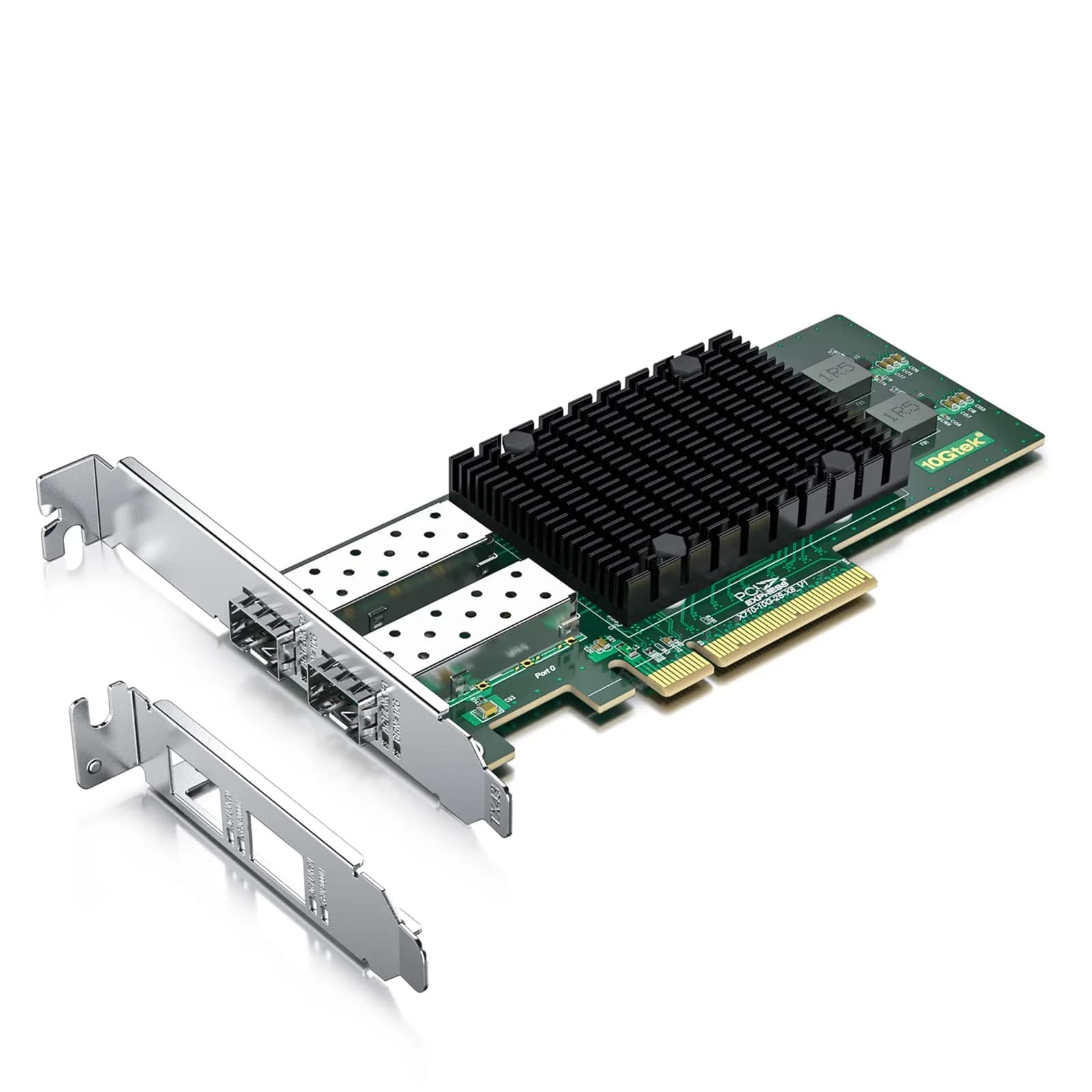
- Dual SFP+ ports let you connect to 10 Gigabit SFP+ module/DAC/AOC for meeting the demands of data center environments. System interface type is PCI Express * (PCIe) 3.0（8.0GT/s）, ultra low power consumption. PCI-E X8 Lane is suitable for both PCI-E X8 and PCI-E X16 slots.
- Compatible with Windows Server 2003/ 2008/ 2012, Windows7/8/10/Visa, Linux, VMware ESX. Unified networking providing a single wire support for LAN and storage: NAS (SMB, NFS) and SAN (iSCSI).
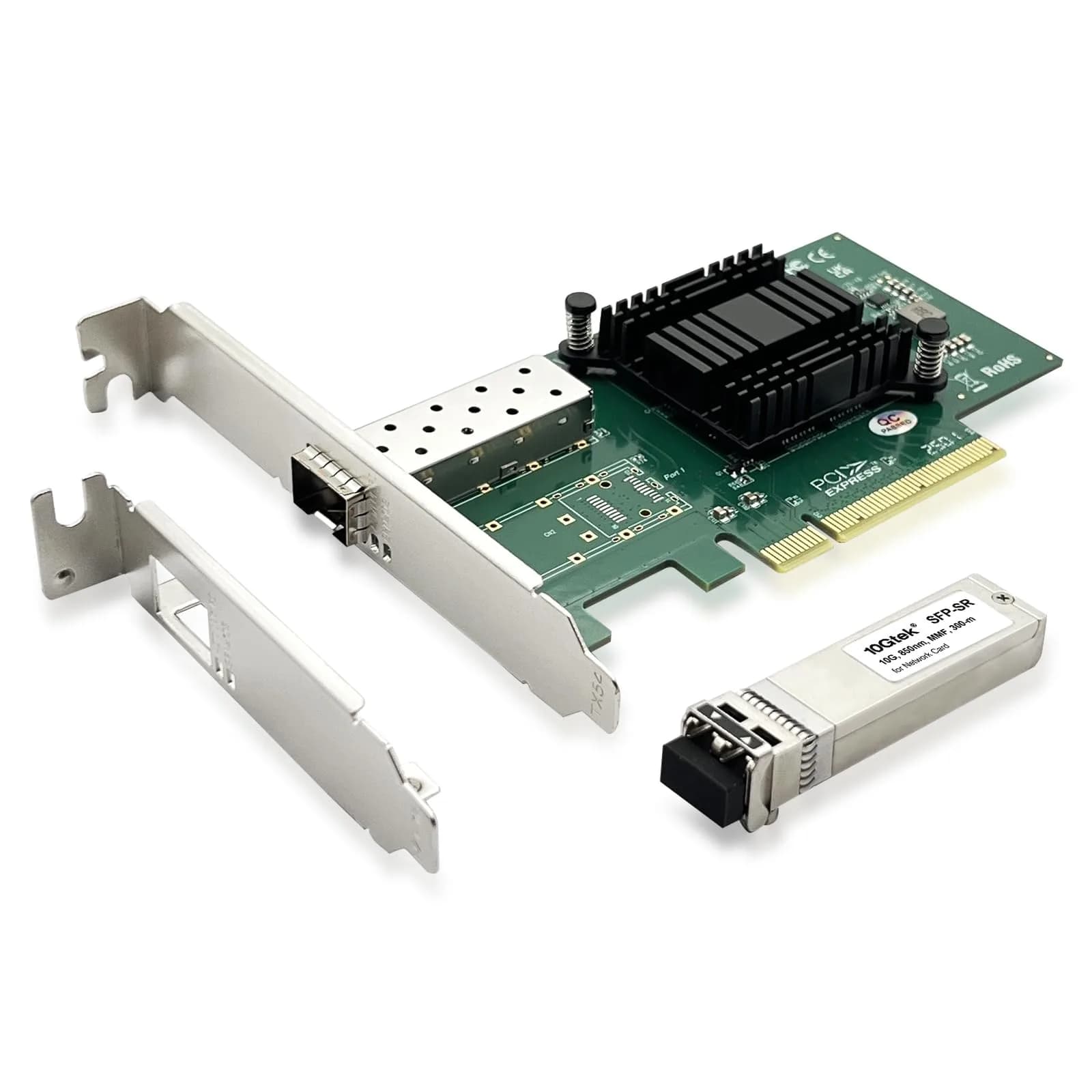
- With profile bracket and additional low profile bracket that makes it easy to install the card in a small form factor/low profile computer case/server.NOT support hot swaping.
- What You Get: 10Gtek XL710-10G-2S (compare to Intel X710-DA2) 10GbE PCI-E X8 Network Card x1, Low-profile Bracket x1. Backed by 10Gtek 30 Days Free-returned, 1 Year Free Warranty and Lifetime Technology Support.

## Why choose this product

- Unlocking Server Performance
- Ideal for High-Demand Workloads

## How to use

1. Power off your computer or server. Open the chassis and locate a free PCI Express 3.0 x8 or x16 slot. Remove the corresponding expansion slot cover from the back of the case. — Prepare Your System
2. Carefully insert the 10Gtek PCIe card into the chosen slot until it clicks into place. Secure the card's bracket to the computer case using a screw. If using a low-profile case, attach the low-profile bracket first. — Install the Network Card
3. Connect your SFP+ module, DAC, or AOC cable to one of the dual SFP+ ports. Power on your system. Install the appropriate drivers for your operating system (Windows, Linux, VMware ESX) from the manufacturer's website or provided media. — Connect and Configure

## Product details

| Field | Value |
|---|---|
| Primary Controller | Intel X710-BM2 |
| Network Virtualization Offloads | NVGRE, VXLAN, GENEVE, NSH |
| Specialized Features | Intel Ethernet Flow Director, DPDK Optimized |
| Recommended Use | Servers, Data Centers, High-Performance PCs, Network Appliances, NFV |
| Installation | Install in PCIe x8 or x16 slot. Use appropriate bracket for case size. |
| Hot Swapping | Not supported |
| Cost per unit | 1 card at {{ccc_offer_price}} — {{ccc_price_per_unit:1:card}} |
| Brand | 10Gtek |
| Model Number | XL710-10G-2S |
| Controller Chip | Intel X710-BM2 |
| Interface | PCI Express 3.0 x8 Lane |
| Ports | Dual SFP+ |
| Data Transfer Rate | 10 Gbps |
| Form Factor | Standard and Low-Profile Bracket Included |
| Power Consumption | Ultra Low |
| Dimensions (Card) | 15.19 x 3.20 x 22.71 cm |
| Item Weight | 0.26 kg |
| Compatible Operating Systems | Windows Server, Windows 7/8/10, Linux, VMware ESX |
| Country of Origin | Not stated by manufacturer — US retail version, sourced from authorized US retailers |

## Frequently asked questions

### Is this 10Gtek network card compatible with Indian power standards?

Yes, this PCIe network card operates on low voltage and does not directly connect to mains power, making it compatible with Indian electrical systems. It draws power from the PCIe slot. Ensure your PC's power supply unit is adequate for the system's total load.

### What is the best network interface controller for a server in India?

For servers in India requiring high-speed, stable connectivity, the 10Gtek XL710-10G-2S is an excellent choice. It features dual SFP+ ports for 10Gbps speeds, an Intel X710-BM2 controller, and advanced virtualization offloads, ensuring performance and reliability for data centers and enterprise IT solutions.

### How do I install this PCIe network card in my server?

Install the card into a PCI Express 3.0 x8 or x16 slot on your motherboard. Use the included standard or low-profile bracket to secure it to the computer case. Ensure your operating system (Windows Server, Linux, VMware ESX) has compatible drivers installed.

### Can I use this network card for NAS or SAN storage?

Yes, this card supports unified networking for both LAN and storage, including NAS (SMB, NFS) and SAN (iSCSI). This makes it suitable for building or upgrading storage servers that require high-speed data access and transfer.

### What are the benefits of using a 10Gbps network card like this one?

A 10Gbps network card significantly increases data transfer speeds compared to standard Gigabit Ethernet. This leads to faster file transfers, improved performance for virtual machines, quicker access to network storage, and reduced latency for demanding applications, crucial for modern data-intensive environments.

### Does this network card support hot swapping?

No, this 10Gtek PCIe network card does not support hot swapping. The card must be installed or removed while the computer system is powered off to prevent potential damage or data loss.

### What is the best network interface controller online in India?

For high-performance networking needs, the 10Gtek XL710-10G-2S offers advanced features and 10Gbps speeds. You can purchase it online in India through CrowCrowCrow, ensuring an authentic product with all customs duties and GST included, delivered via ExpressBox.

### Are there any side effects of using a 10Gbps network card?

There are no direct 'side effects' in terms of health or system stability from using a 10Gbps network card itself. However, ensure your system's power supply can handle the card's requirements and that your motherboard has a compatible PCIe slot. Proper driver installation is also key for optimal performance.

## Compliance

This is a computer component. Ensure compatibility with your motherboard and power supply. Installation should be performed by individuals familiar with PC hardware assembly. Not intended for direct connection to mains power.

## Images

1. https://images.crowcrowcrow.com/B07PM4QCZR-2.webp
2. https://images.crowcrowcrow.com/B07PM4QCZR-5.webp
3. https://images.crowcrowcrow.com/B07PM4QCZR-8.webp
4. https://images.crowcrowcrow.com/B07PM4QCZR-11.webp

---

Source: https://crowcrowcrow.com/p/10gtek-10gb-pcie-sfp-nic-network-card-compare-intel-x710-da2/jjb2884

Returns: 30 days, free, by mail. Shipping: Free across India, 7–13 business days. Prices are all-inclusive (duties + GST).